
How to send feedback?
Send a problem or a wish from the Feedback page, or straight from a table or a replay with the game's details attached, and follow what happens to it. Each picture is a real screen, and the numbered boxes match the notes below it. The other tours are on the How to page.
Where to send it from
 1
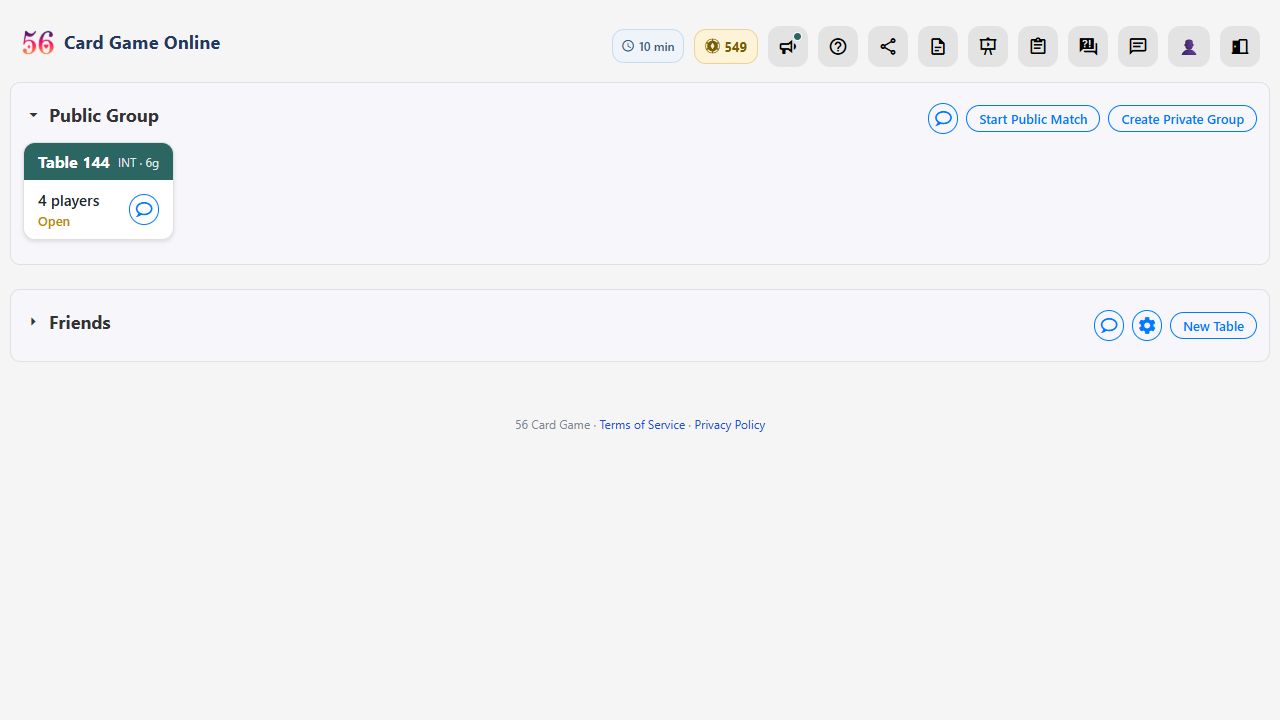
- The Feedback page (the speech-bubble icon in the lobby's top bar) lists what players have sent and what the site is doing about each item.
 1
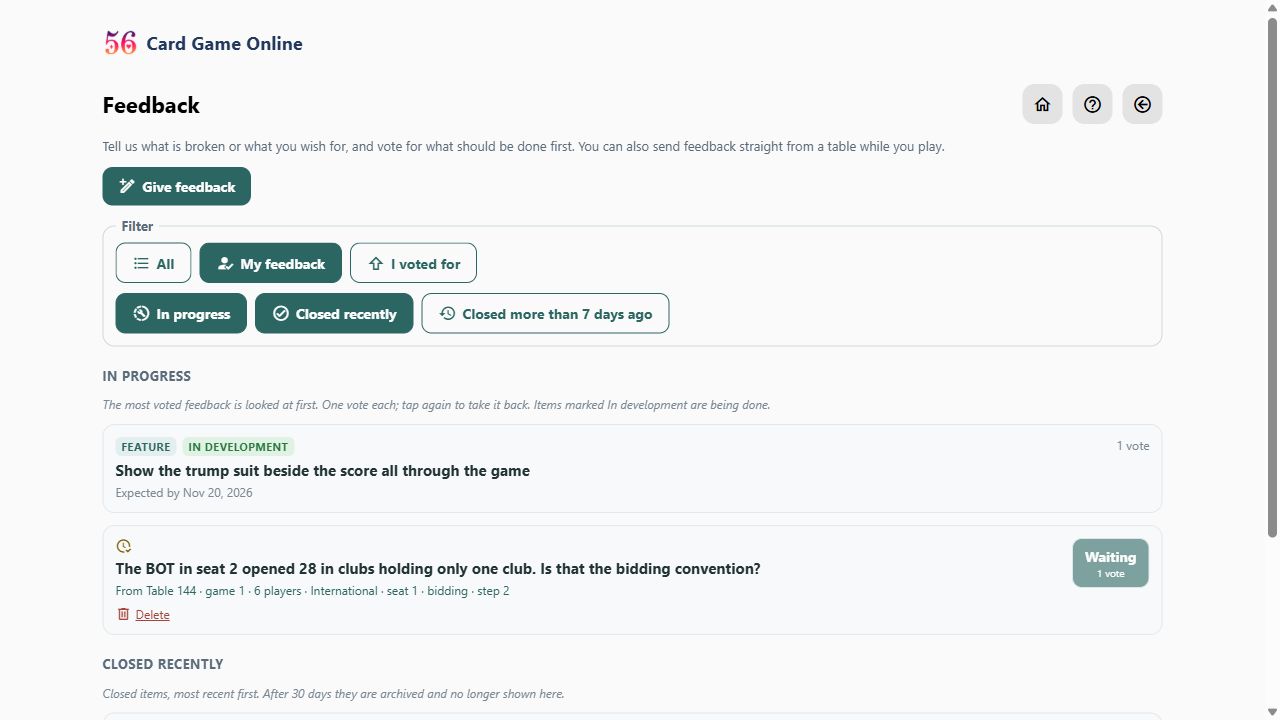
- Give feedback opens one box: write what happened or what you'd like, a line or a paragraph. The first line becomes the title. There's no need to say whether it's a problem or a wish.
 1
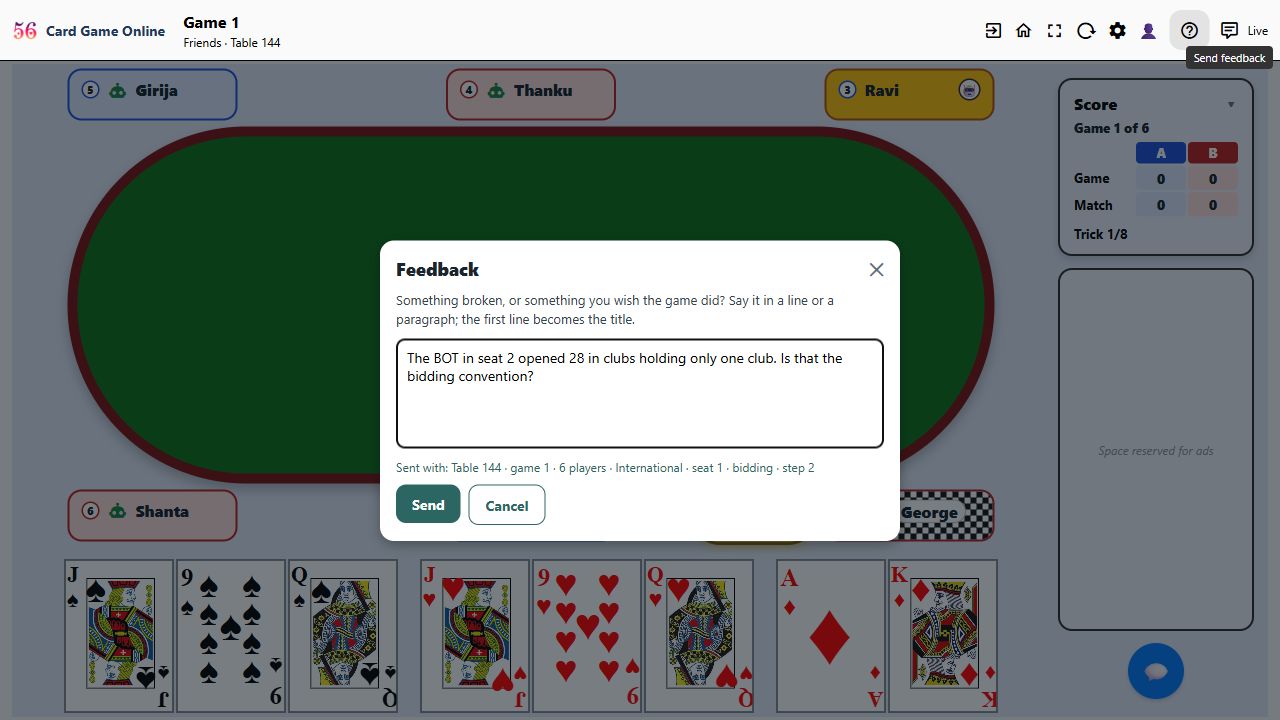
- At a table, the speech-bubble icon in the header opens the same box, and the table's details go with it: the table number, game, rules, number of players, your seat and the exact moment of play.
 1
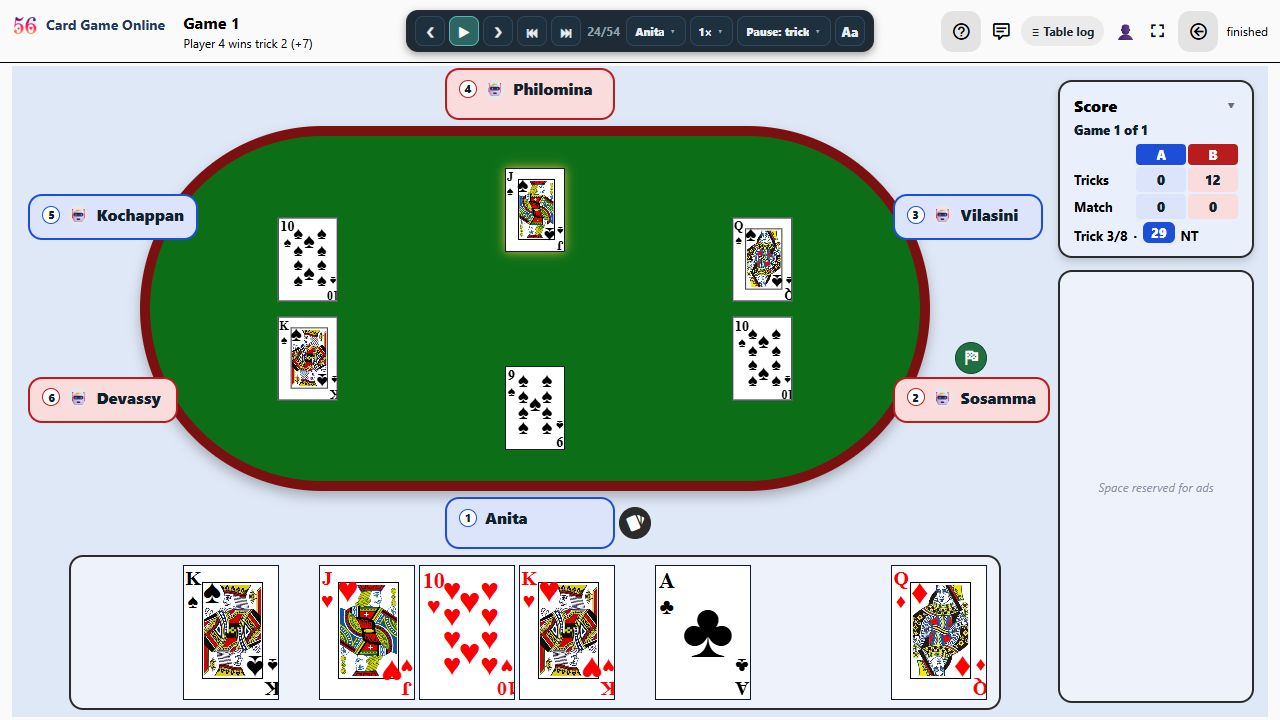
- In a replay, the same icon sends the match, the game and the step you're looking at, so that exact moment can be found again.
1
- Under the box, Sent with: … shows the details that go along. Your hand and cards are not sent.
After you send it, and what the labels mean
 1
2
3
4
5
6
7
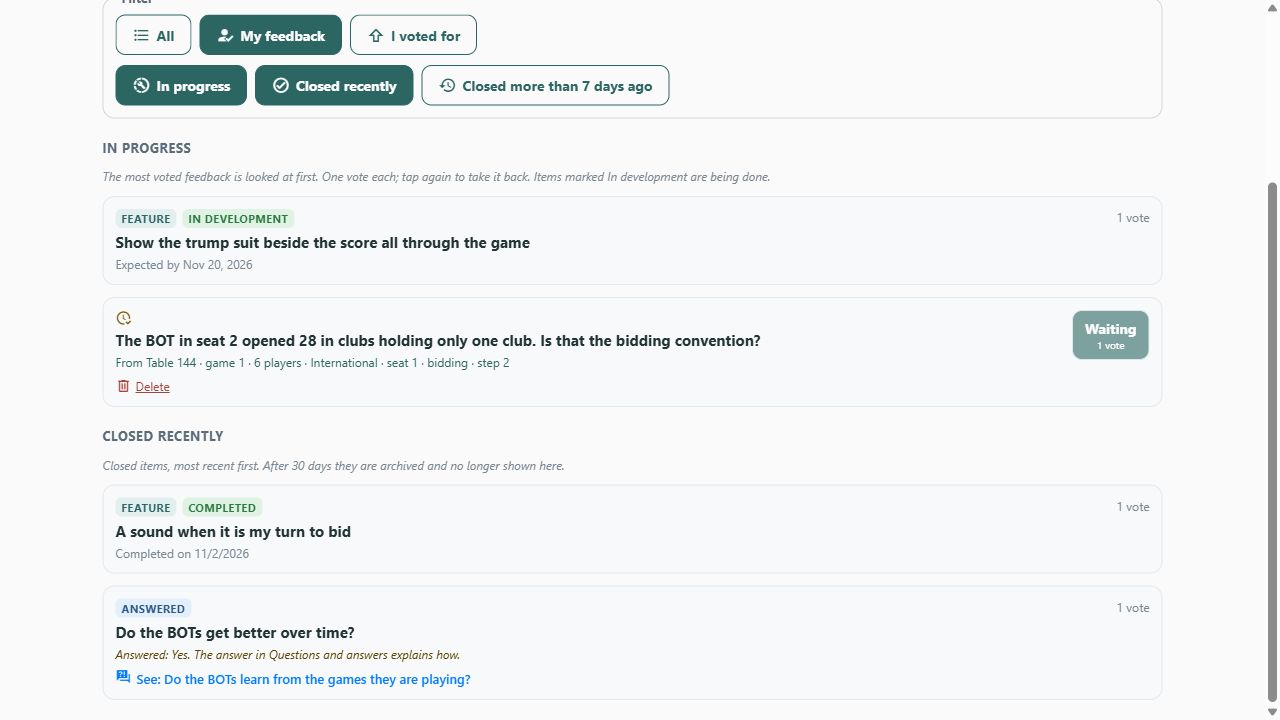
- A moderator reads each item first. Until then only you can see it, marked Waiting.
- Your own vote is added at once. Others vote with the up arrow, and the most-voted items are looked at first. Everyone gets one vote per item; tap again to take it back.
- Your name is never shown to other players on the board.
- In development: being worked on, with the expected date when known.
- Completed (Fixed, for a problem): done and live on the site, with the date.
- Answered: a reply from the site, often with a link to the matching FAQ answer.
- Parked (only you see it) or Declined: not going ahead for now, with the reason.
Finding things
1
2
- The filters: All, My feedback, I voted for; and In progress, Closed recently, Closed more than 7 days ago. Closed items are archived after 30 days.
- You can delete your own item while it is waiting, parked, declined or answered.
Ready to play? Create a free account or sign in. The full rules of the game are on the rules page, and the questions and answers cover the rest.