
How to set up a private group?
A private room for your BOT practice, or one for each circle of friends or family: create it, bring people in, and play where nobody else can see. Each picture is a real screen, and the numbered boxes match the notes below it. The other tours are on the How to page.
Why a private group
 1
2, 4
3
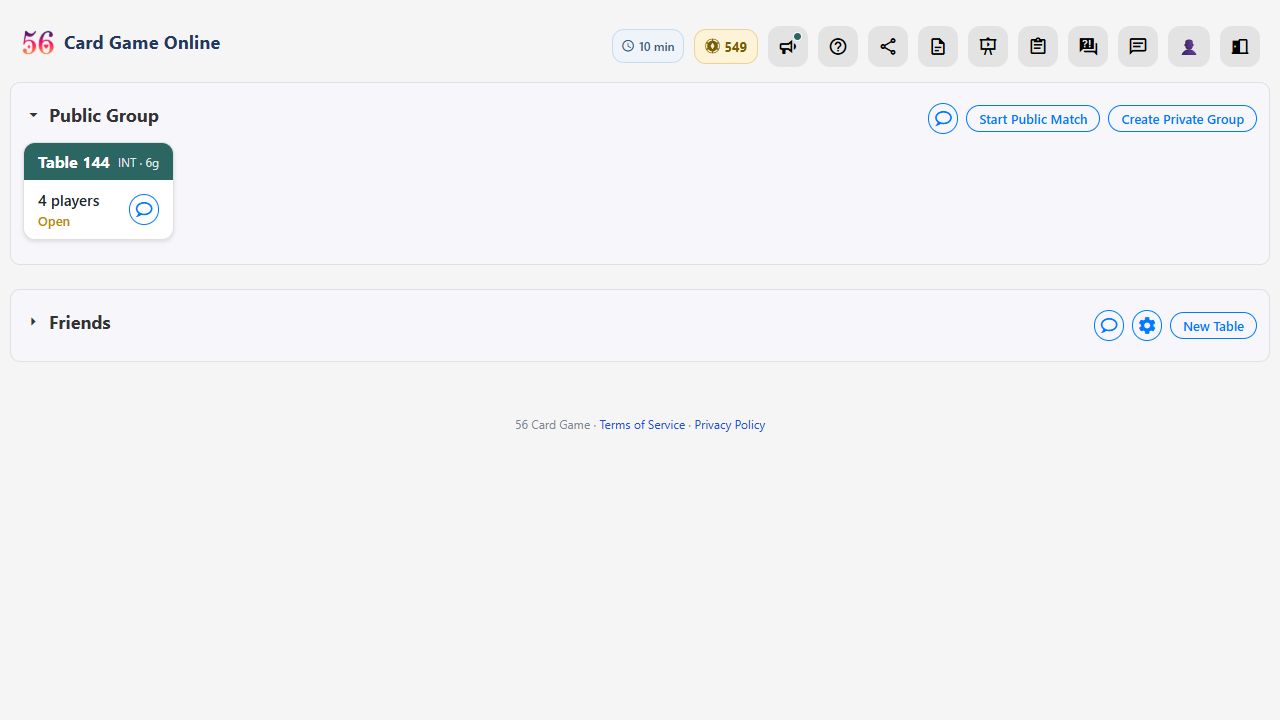
- A private group is a closed room of your own on the site. Its tables, matches and chat are seen only by its members; nobody else on the site even knows it's there.
- Just you: create a group with only yourself in it, and practise with the BOTs where nobody else can watch your games or look up your matches.
- Your circles: college friends, school friends, family. Give each circle its own private group, so each has its own tables, matches and chat that no one outside it can see.
- Create Private Group in the lobby starts a new group.
Creating one
 1
2
3
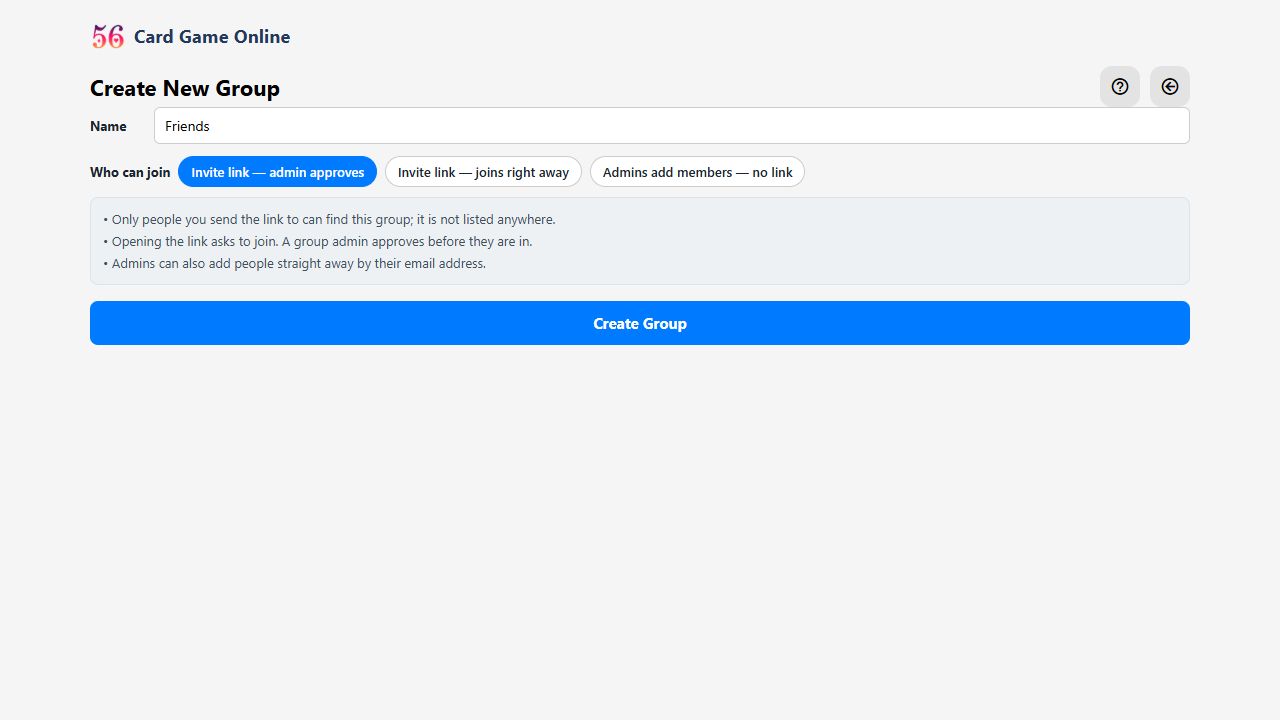
- Give it a name your members will recognise. It becomes the group's heading in their lobby.
- Choose how people get in: by invite link with an admin's approval, by invite link straight in, or only when an admin adds them. For a group of just you, choose Admins add members.
- Create Group makes you the group's admin and opens its page.
Bringing people in
 1
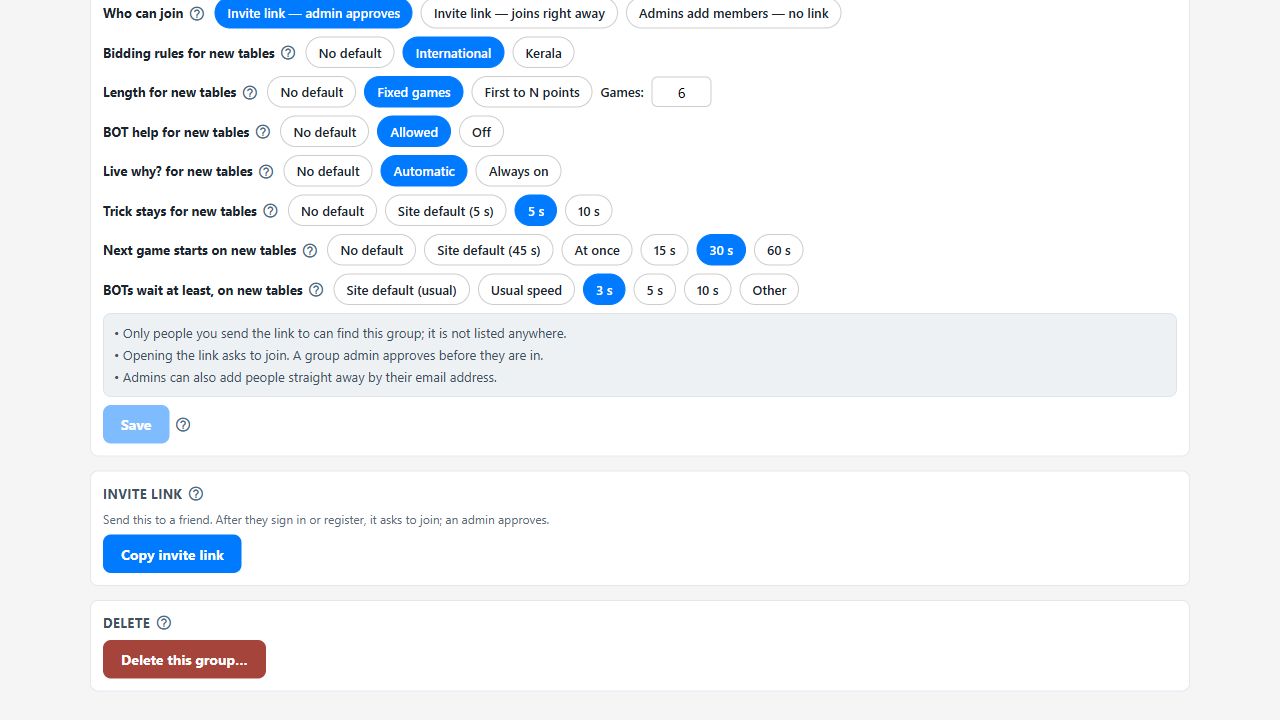
- Copy the invite link and send it on WhatsApp or by email. Whoever opens it signs in or registers, then joins, or asks to join.
 1
2
3
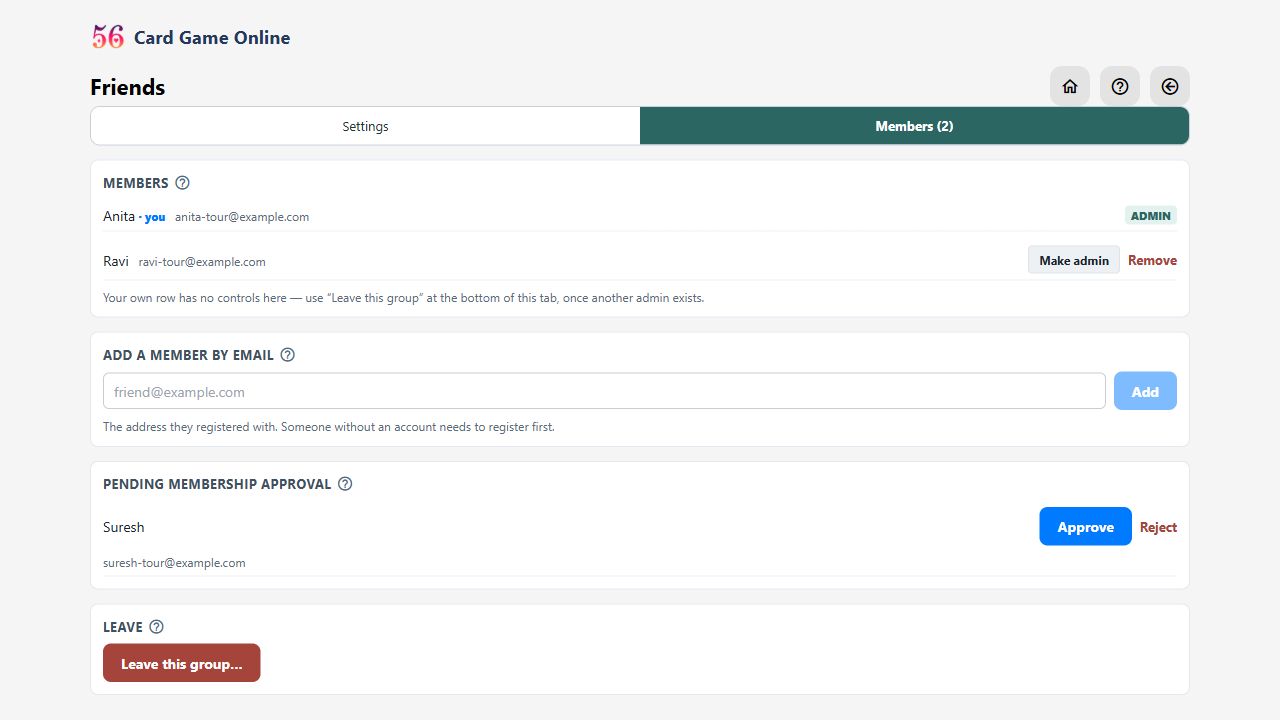
- Or add a friend yourself: type the email address they registered with, and they're in at once.
- If the group needs approval, requests wait under Pending: Approve or Reject.
- Make a trusted member an admin too, so someone else can let people in. A group always keeps at least one admin.
Playing in it
1
- Your group has its own section in the lobby. New Table there opens a table only its members can see, join or watch.
1
- Your group's own settings. Admins can give the group its own settings for new tables: bidding rules (International or Kerala), match length, BOT help, how long a won trick stays, how soon the next game starts, and how fast the BOTs play. Whenever anyone opens a table in the group, it starts with these settings, and they can still change any of them on the table's settings screen before starting. Tables already open keep their own settings.
 1
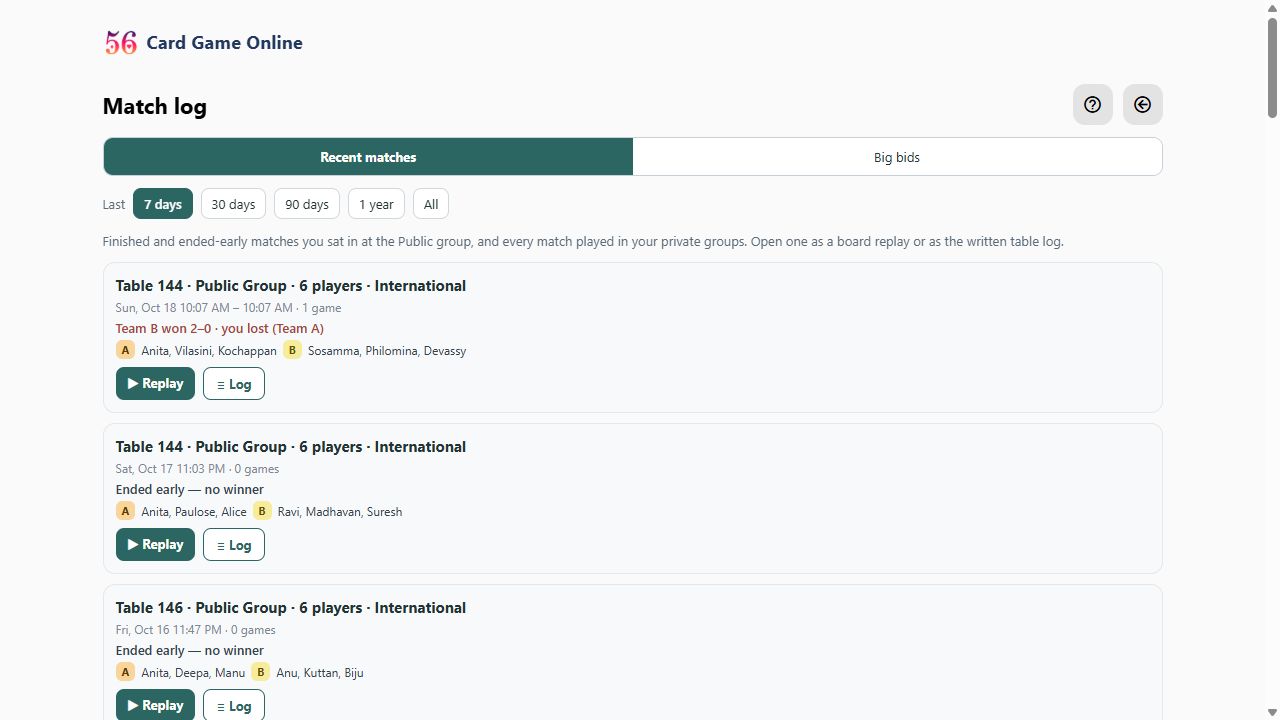
- Every match of your groups is in the Match log, for members to read and replay.
1
- A group is meant to last: your circle keeps the same group for all its games. Leave takes you out of a group you no longer want. If a group really is no longer needed, an admin can delete it from the bottom of its Settings tab; its finished matches stay in every member's Match log, and only its chat is removed.
Ready to play? Create a free account or sign in. The full rules of the game are on the rules page, and the questions and answers cover the rest.