How to play a match?
Play with friends, BOTs or a mix: every table setting, Careful and Bold BOTs, the match admin, Away and OFF, and how a BOT stands in for a player. Each picture is a real screen, and the numbered boxes match the notes below it. The other tours are on the How to page.
Who plays
 1
2
3
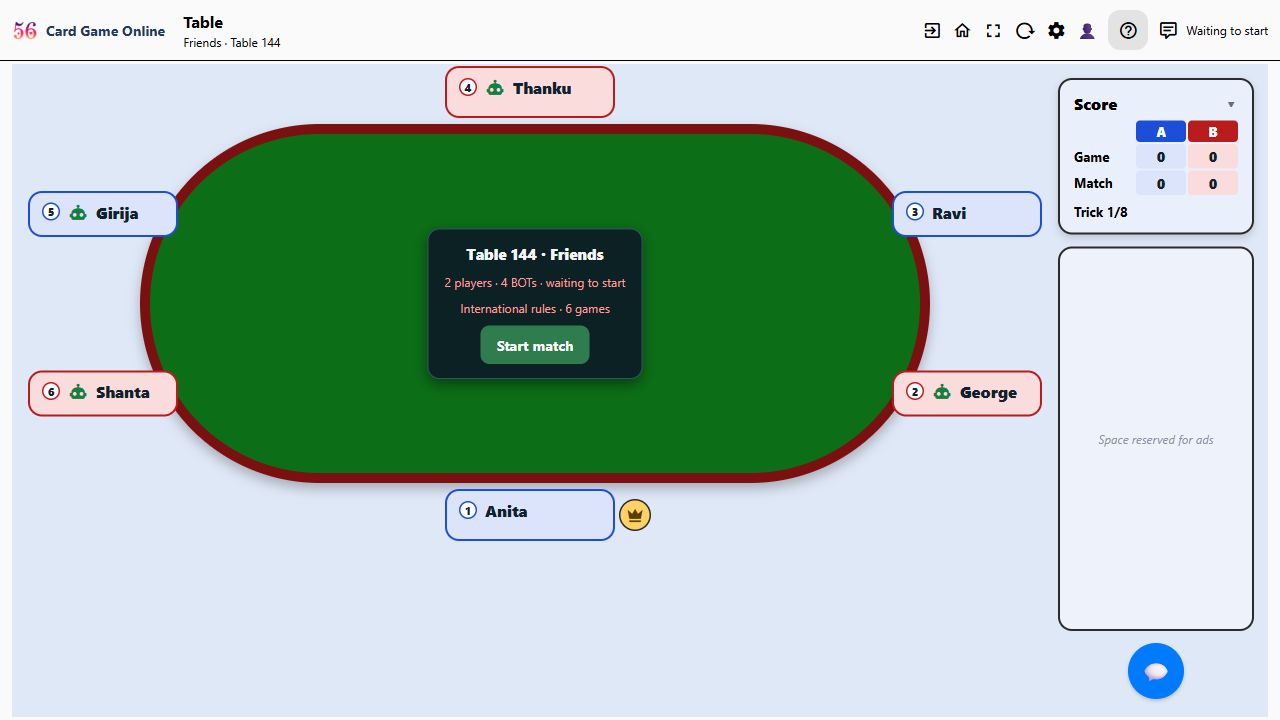
- A table has 4, 6 or 8 seats, two teams sitting alternately. Any seat can be a person or a BOT, so you can play with friends, with BOTs alone, or any mix.
- Every seat starts with a BOT. You take one seat when you open the table; friends who join tap a BOT's badge (the dashed ones) and choose Take this seat, before the match or during it.
- Anyone holding a seat can press Start match. BOTs play every seat nobody has taken.
Careful and Bold BOTs
 1
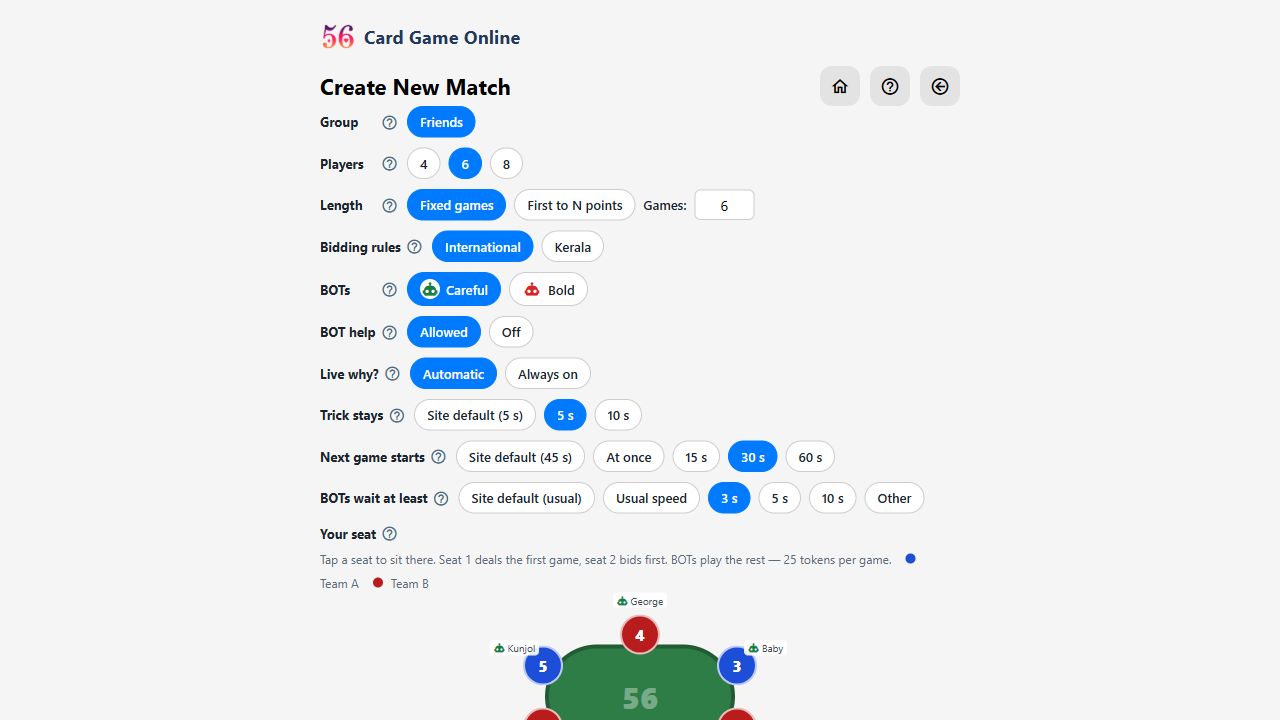
- When you create the table, choose its BOTs. The Careful BOT (green robot) bids high only when it is very confident of making it. The Bold BOT (red robot) bids high when it is fairly sure, and takes a chance now and then, so it goes for 48 and 56 more often.
1
- The choice holds for the whole table, and a BOT that takes over a seat is the same kind. Each robot on the table shows its colour.
The table settings
1
2
3
4
5
6
7
8
9
- Players: 4, 6 or 8; six (two teams of three) is the classic. With 8 you also choose the deck: 6 cards each, or the full 64-card deck with the 7s and 8s. Careful and Bold play only the 48-card deck, so a full-deck table has plain BOTs.
- Length: a fixed number of games, or the first team to reach a number of points.
- Bidding rules: International (reverse bids, plus bids and NT) or Kerala (number then suit, or NS, as in Kerala tournaments).
- BOT help 💡: players can ask what a bid means, why a BOT did something, or for a suggested bid or card. Off hides it for the whole table.
- Live why?: explanations of the BOTs' moves as they happen. Automatic while you are the only person seated; Always on keeps them coming with friends at the table (never about another person's moves).
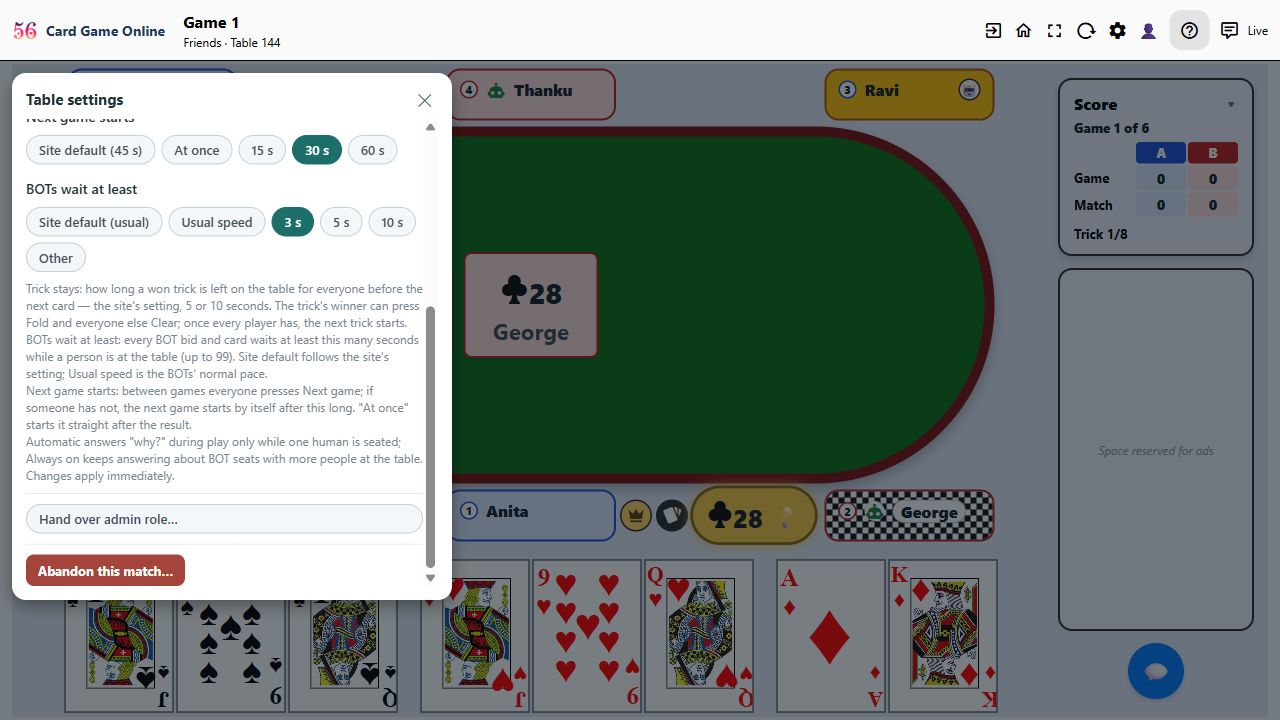
- Trick stays: how long a won trick stays on the table. The winner can press Fold and the others Clear; once everyone has pressed, the next trick starts at once.
- Next game starts: after each game everyone presses Next game. If someone hasn't, the next game starts by itself after 15, 30 or 60 seconds, or At once with no button.
- BOTs wait at least: slows the BOTs so you can follow their bids and cards: 3, 5 or 10 seconds, or any number up to 99.
- A table opened in a group starts with the group's own settings, and you can change any of them before creating it.
The match admin
1
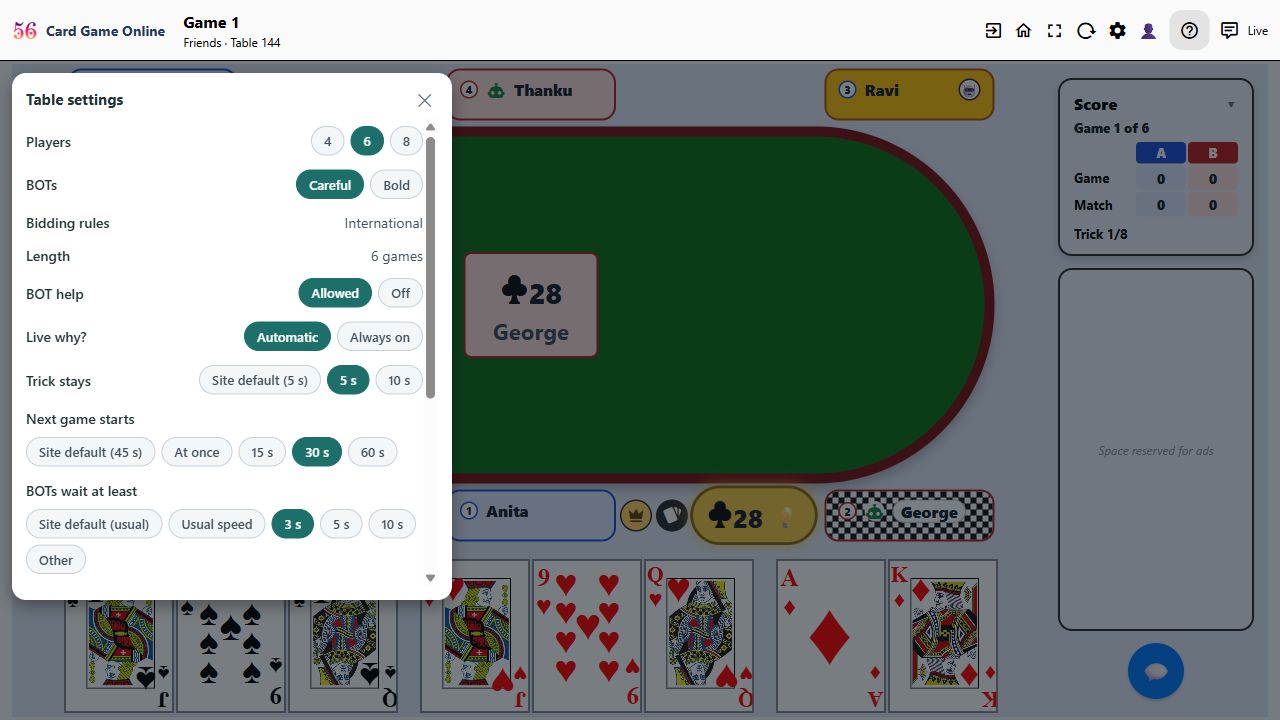
- The gold crown marks the match admin, the person who opened the table. Only the admin can change the settings during the match (⚙ Table settings), put a BOT in someone's seat, or abandon the match.
 1
- BOT help, Live why?, the trick and next-game times and the BOTs' speed change at once. Bidding rules can change only before the start. Changing the number of players or the BOT type after a game has started begins a new match.
 1
- In Table settings the admin can hand over the role to another seated player, who becomes admin when they accept.
 1
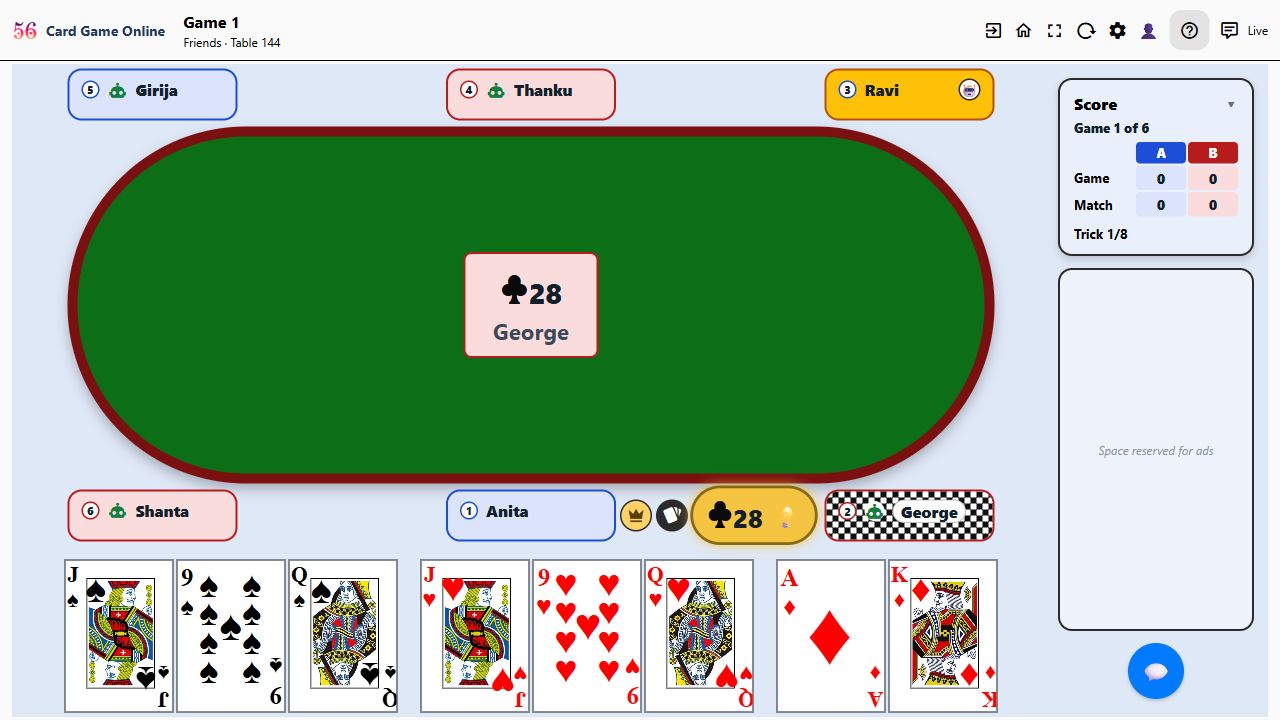
- If the admin's connection is gone, everyone else seated is asked whether to take over, and the first to press Take over from admin becomes the admin. If the admin leaves, the role passes on by itself.
Away and OFF
 1
2
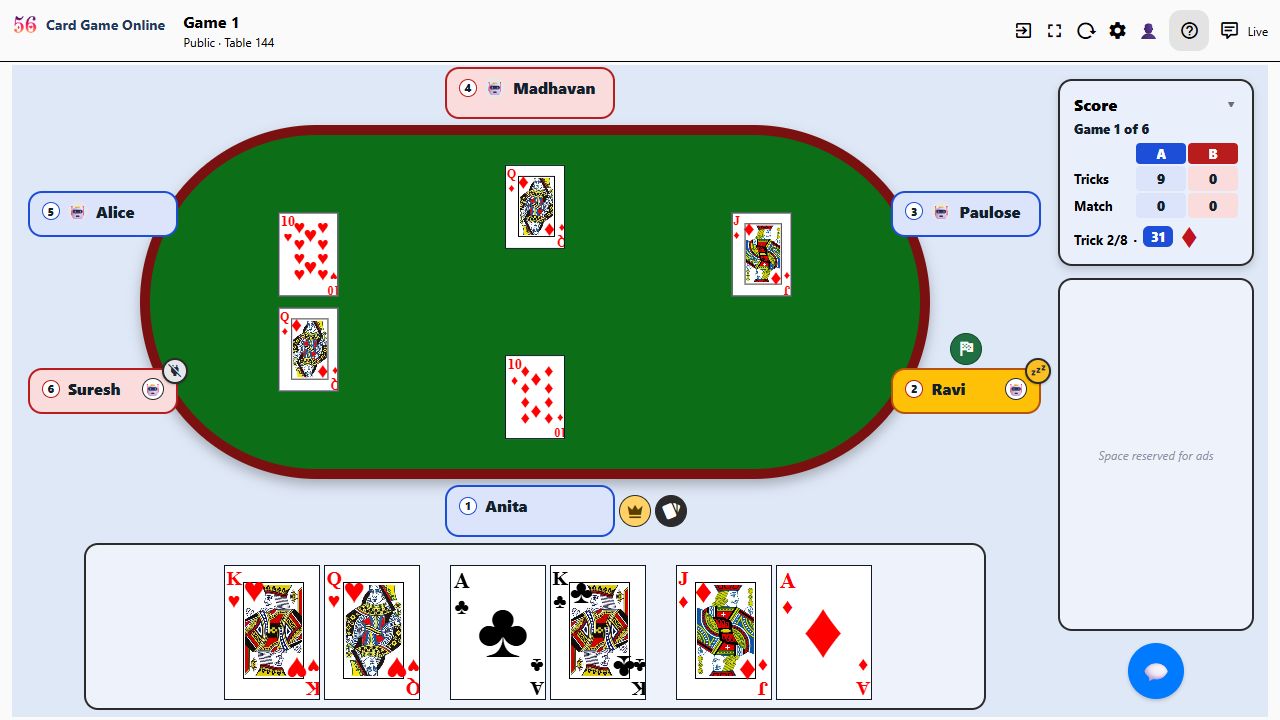
- An amber disc with Zz on a badge's corner means Away: still connected, but the player hasn't touched their screen for a few minutes. Play waits for them.
- A grey disc with an unplugged plug means OFF: their connection is gone (the page was closed or the network dropped). Play waits here too.
A BOT stands in
1
- Someone away for a while, or gone? The admin can tap 🤖 on their badge to put a BOT in that seat, so the table plays on.
1
- When the player is back, they tap the BOT's badge and choose Take this seat, and from there on they play the seat again.
 1
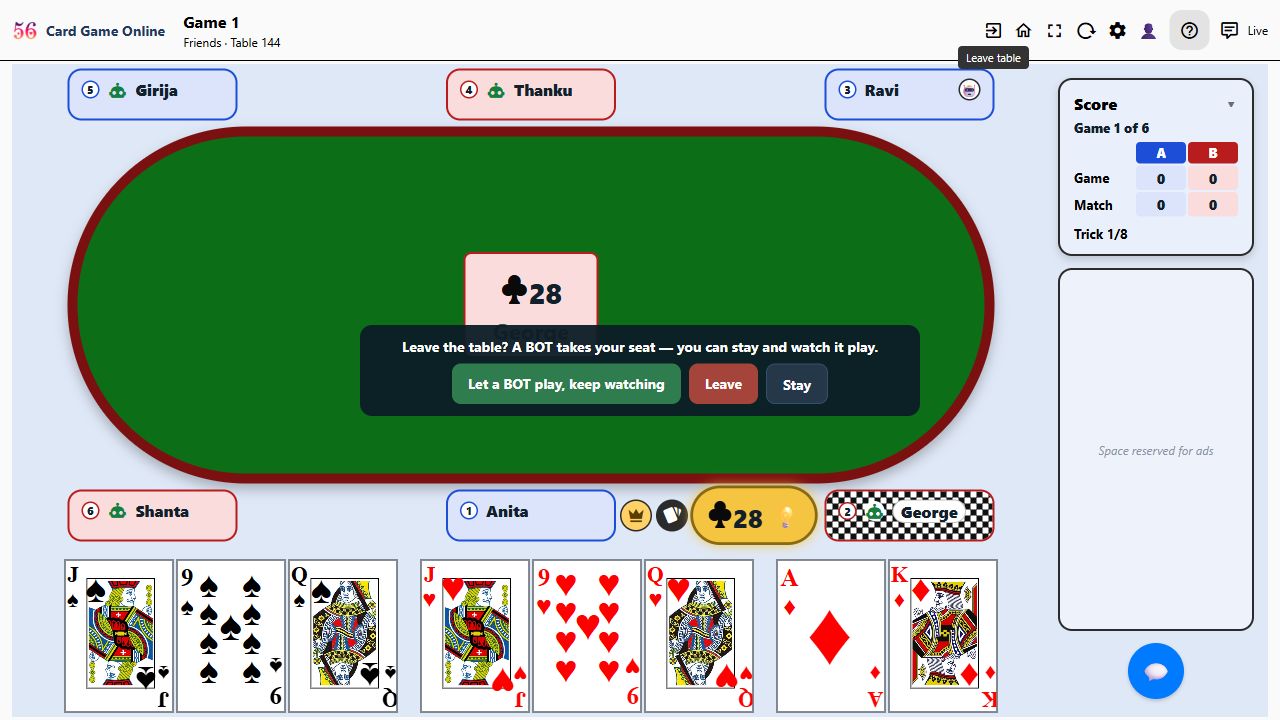
- Leaving yourself: the exit asks Leave the table? Choosing Let a BOT play, keep watching hands your seat to a BOT, you watch, and you can take the seat back any time. If you're the last person at the table, it is abandoned.
After the match
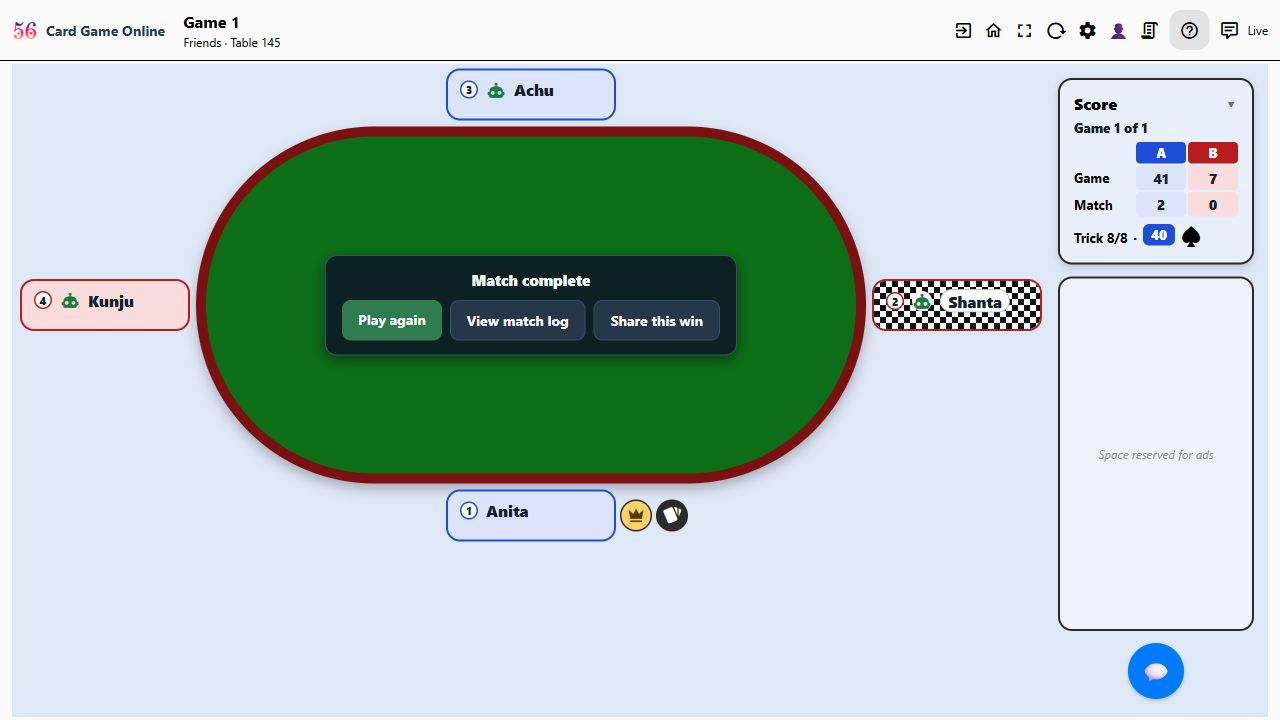 1
- Play again gives the same table and settings for a fresh match, with everyone back in their seats; someone presses Start.
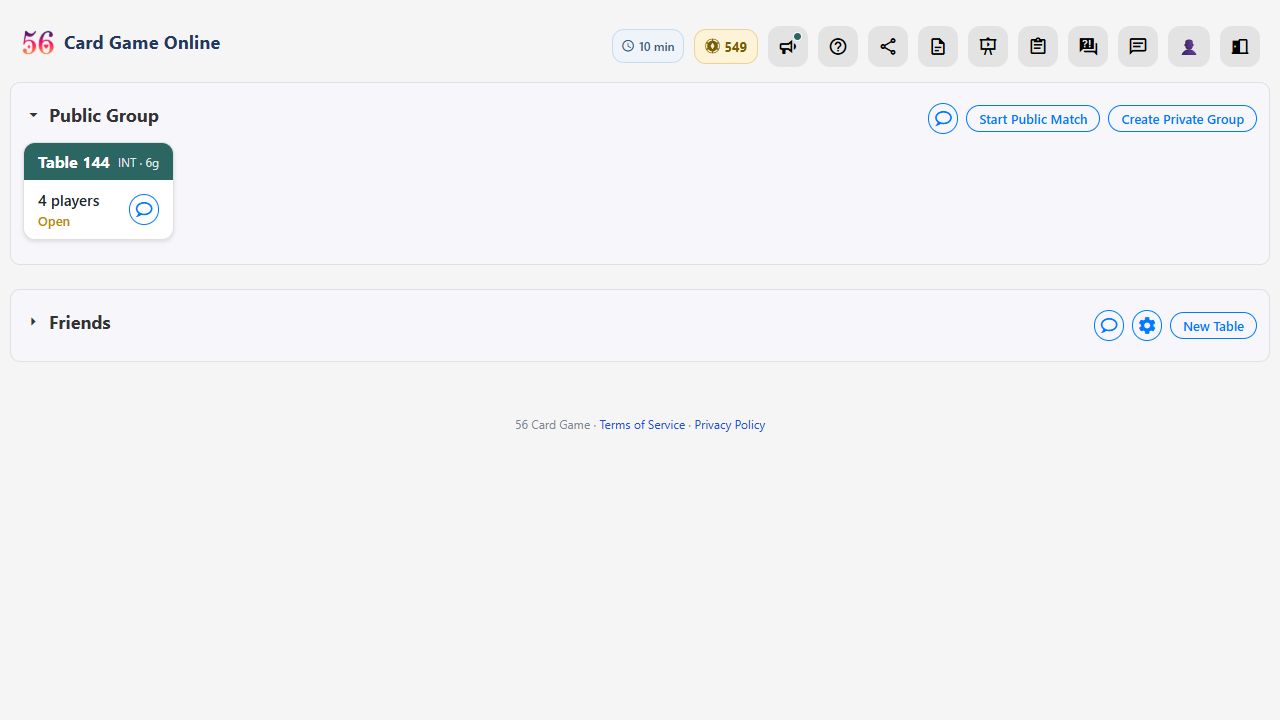 1
- Members of the group can watch a running table, and pick any player's chair to watch from.
Ready to play? Create a free account or sign in. The full rules of the game are on the rules page, and the questions and answers cover the rest.