
How to get started with the site?
Your preferences, groups, opening or joining a table, bidding, asking the BOT and playing your first cards. Each picture is a real screen, and the numbered boxes match the notes below it. The other tours are on the How to page.
Start in the lobby
 1
1
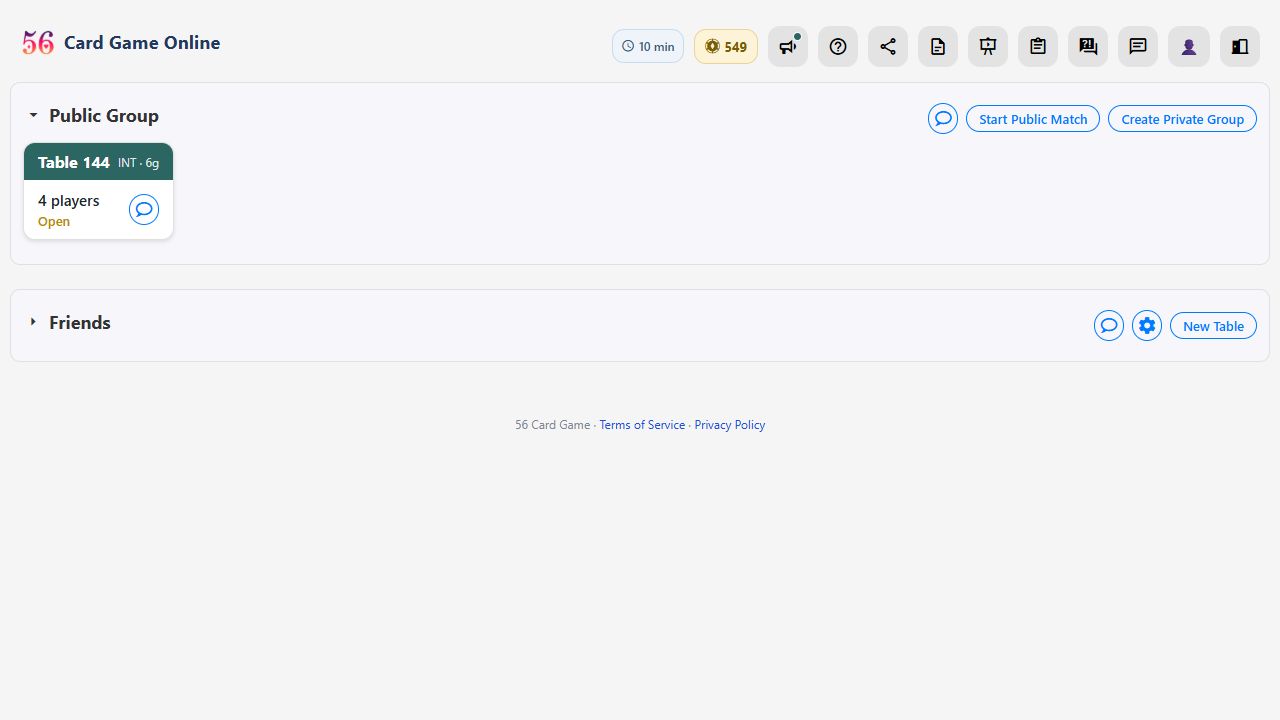
- Your preferences live behind the 👤 icon. Tap it to set the site up your way.
Your preferences
 1, 8
2
3
4
5
6
7
1, 8
2
3
4
5
6
7
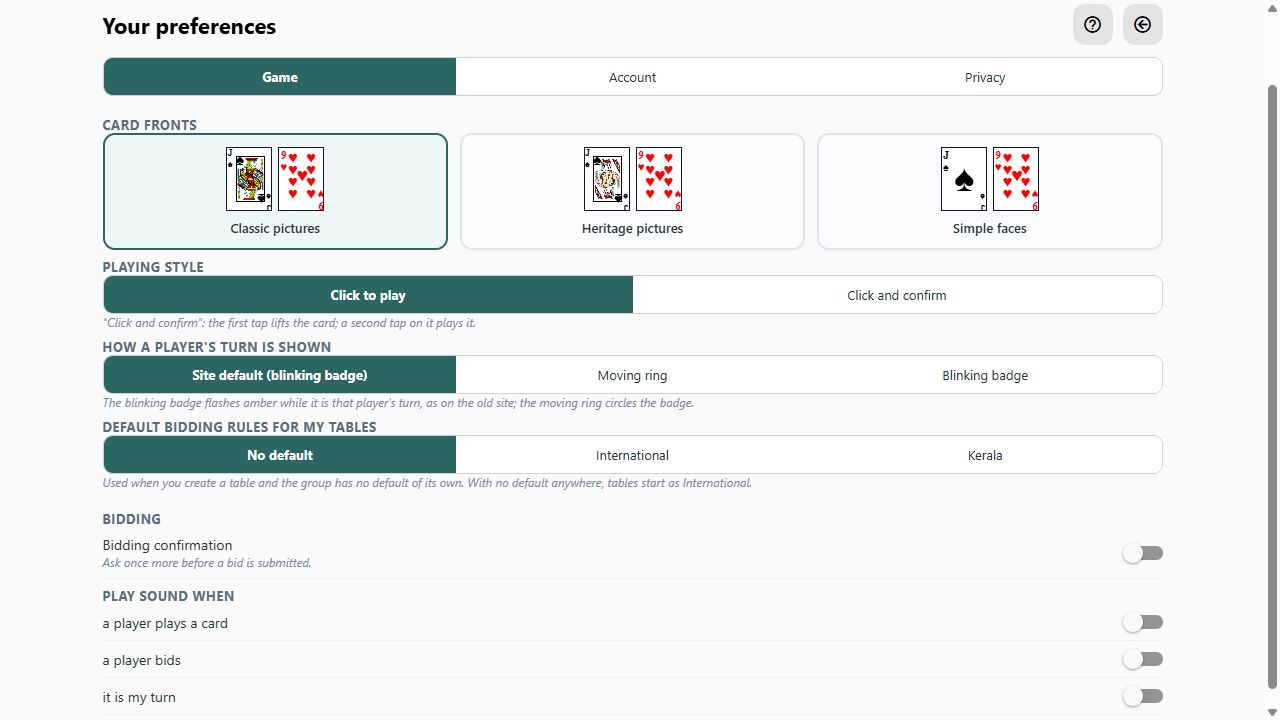
- Three tabs: Game for how you play, Account for your name and password, Privacy for who may see your cards.
- Card fronts: pick the design you find easiest to read.
- Playing style: Click to play plays a card at the first tap. Click and confirm lifts it first and plays it on a second tap — safer on a phone.
- How a player's turn is shown: a blinking amber badge, or a ring moving round it — pick the one you notice best.
- Default bidding rules for the tables you create: International or Kerala. No default follows the group's choice.
- Bidding confirmation asks once more before a bid goes in.
- Sounds are off to start with. Switch on the ones you want: a card played, a bid, your turn.
- There is more on each tab — explore them at your own pace.
Groups
1
2, 3
4
- A group is who you play with. Everyone is in the Public Group.
- A private group is a closed room of your own: only its members see its tables and chat. Nobody else on the site even knows it is there.
- Tap a group's name to open or close its list of tables.
- Have a group to play with? Create it here. You can also create a group just for yourself: a private space to practise with BOTs, where nobody else can see or watch your games.
Creating a group
 1
1
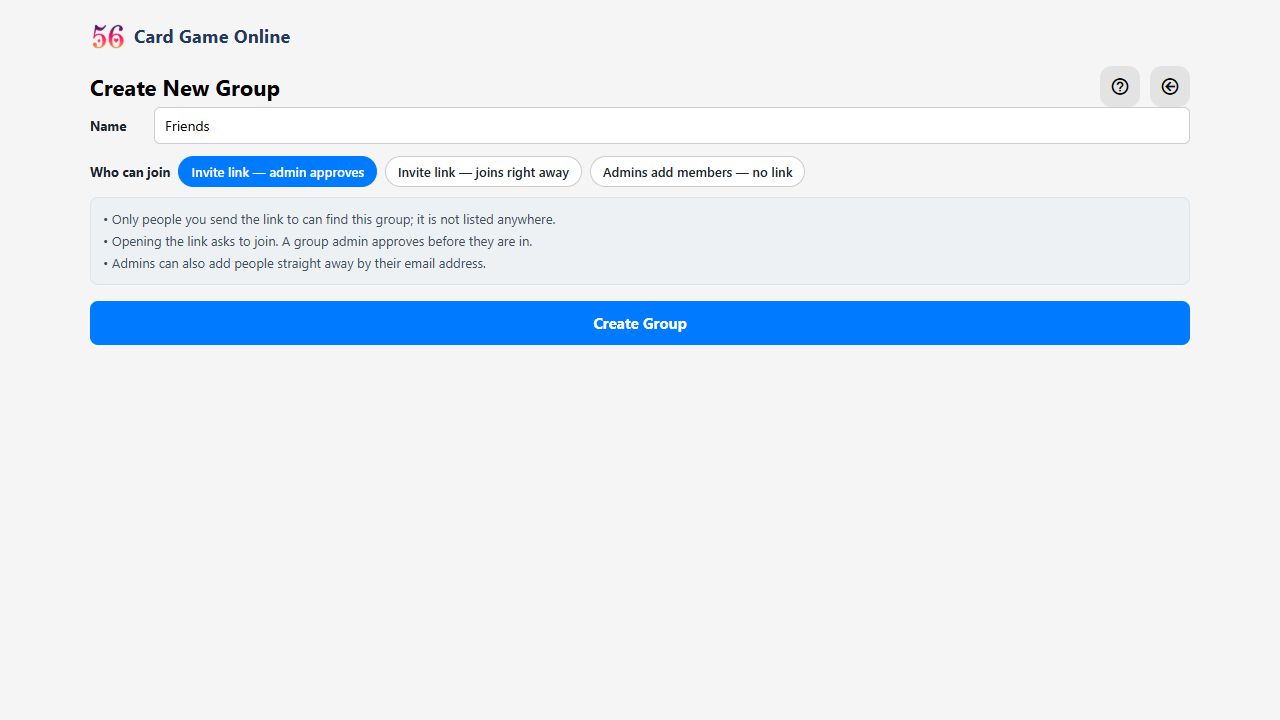
- Give it a name and choose how friends get in — by invite link, with or without an admin's nod — then send them the link.
Opening a table
1
2
3
- Start Public Match opens a table in the Public Group — anyone on the site can see and join it.
- New Table inside a private group opens a table only that group's members can see and join.
- A table that is waiting for players shows Open. Tap it to join.
Table settings
 1
2
3
1
2
3
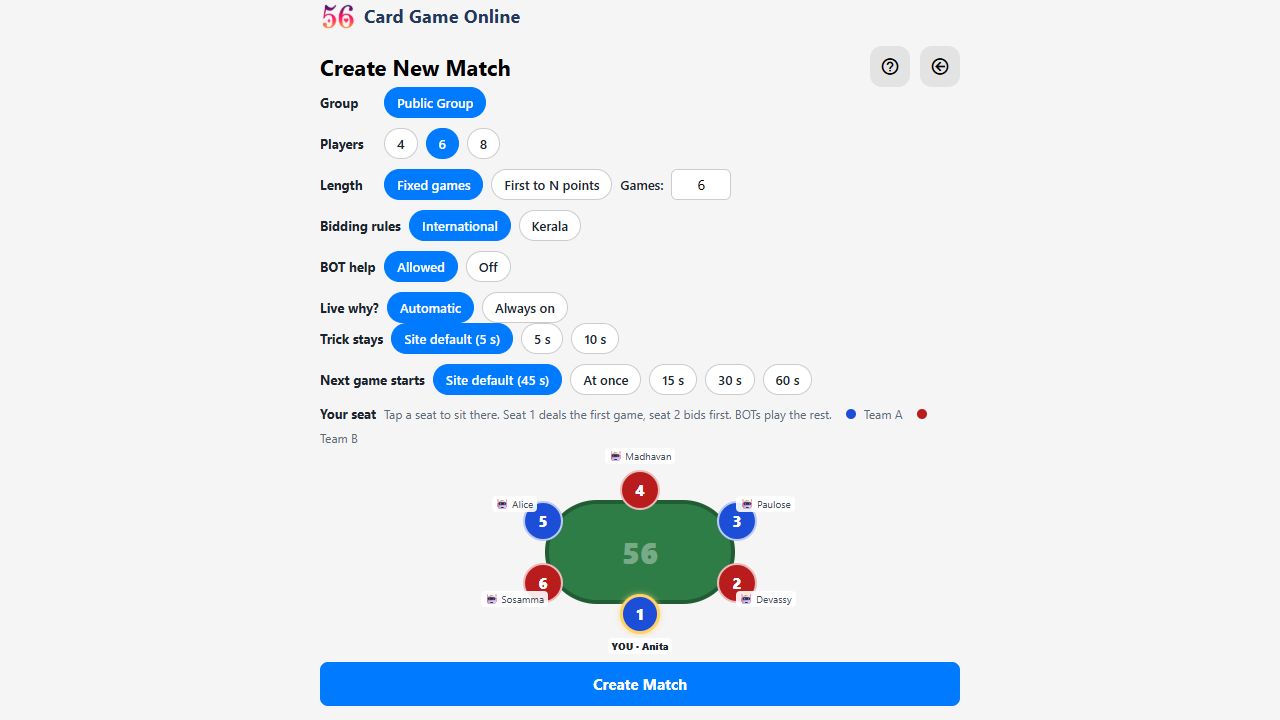
- Choose the table's settings: how many players, how long, International or Kerala bidding, whether BOT help is allowed, how long a won trick stays on the table and how soon the next game starts.
- Tap the seat you want. Seat 1 deals the first game; BOTs play the rest.
- Then Create Match.
Before the match starts
 1
2
3
1
2
3
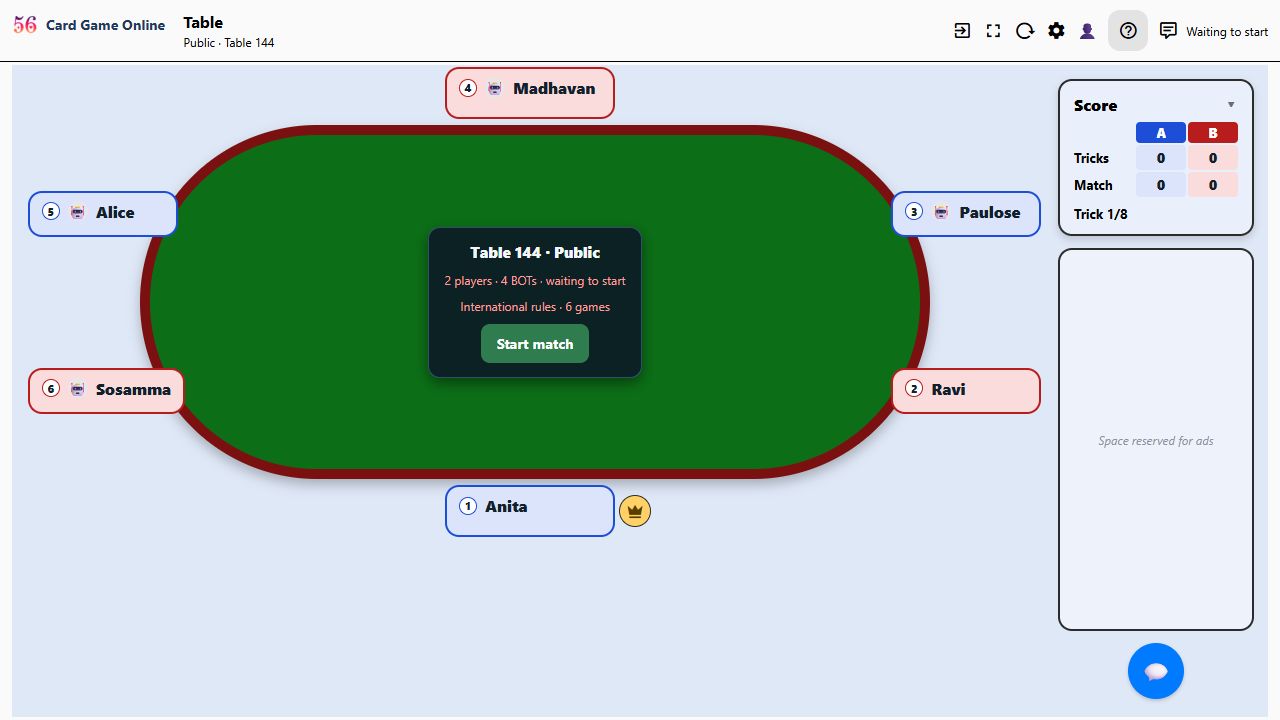
- Friends who open the table tap a BOT to take its seat.
- The player who opened the table presses Start match. BOTs fill any empty seat.
- The crown beside a badge marks the table's admin — you, since you opened it. The admin starts the match and can change its settings.
Bidding
 1
2
3
4
5
1
2
3
4
5
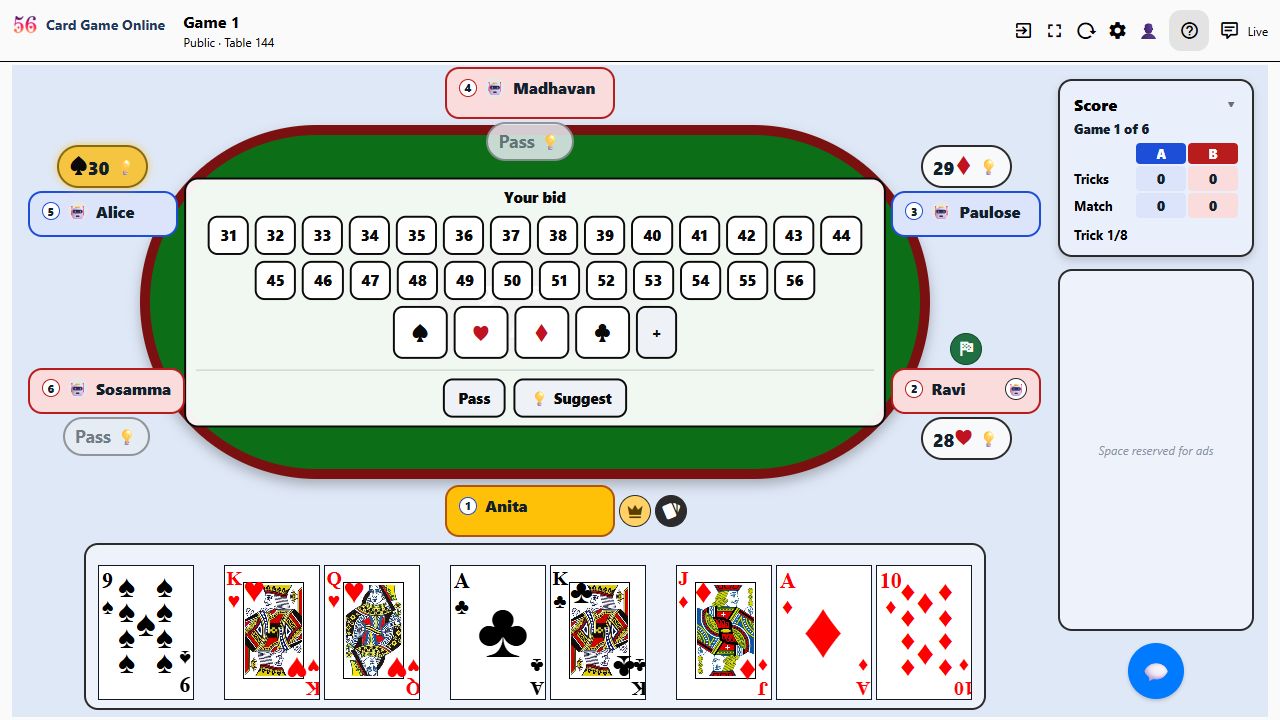
- The card-deck disc beside a badge marks the dealer. The deal moves on one seat each game.
- The chequered flag marks who opens the game: the player to the dealer's right, first to bid and first to lead. Bidding and play then go round the table anticlockwise.
- The blinking amber badge shows whose turn it is (or a ring, if you chose that). Here it is yours, so the bid keyboard is open.
- The tag beside each badge shows that player's latest call — a bid or Pass. The highest bid so far is the amber one.
- Bidding: tap a number and a suit, or Pass. Not sure what to bid? 💡 Suggest asks the BOT.
What does that bid mean?
 1
2
1
2
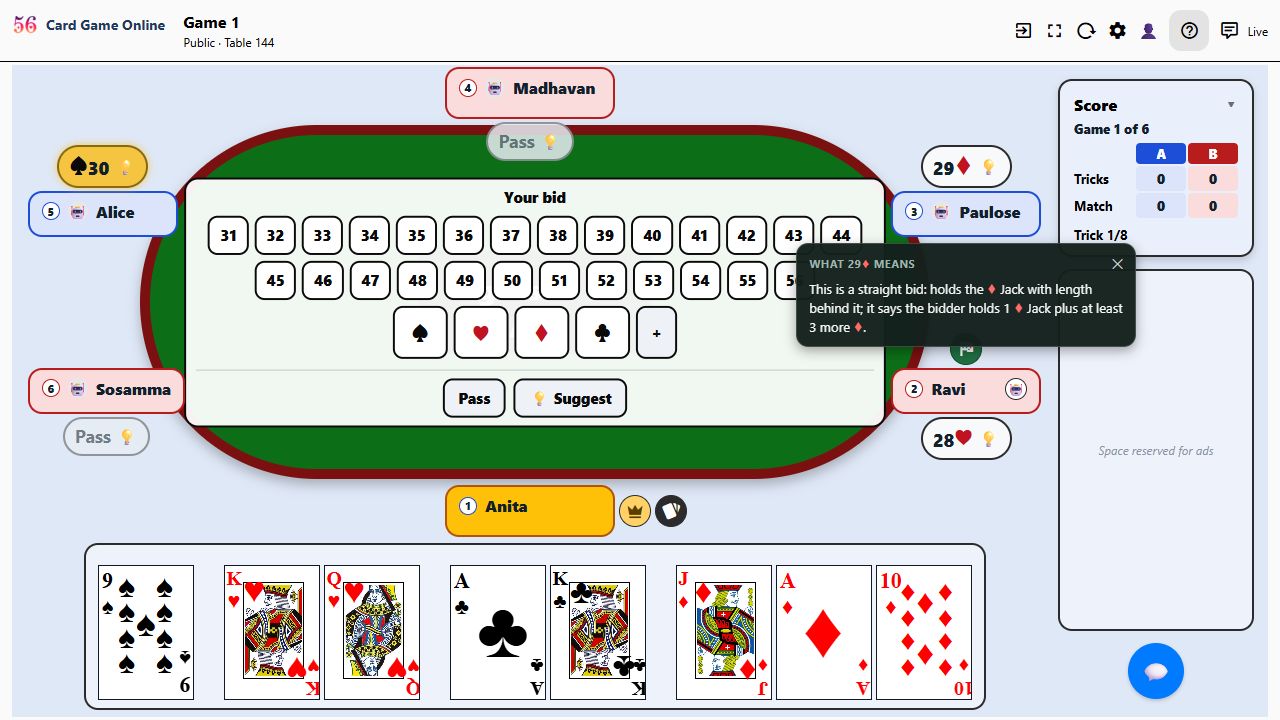
- Tap the 💡 on another player's bid, then meaning…
- …and the BOT explains what that bid says about their hand.
When a player is away
 1
2
3
1
2
3
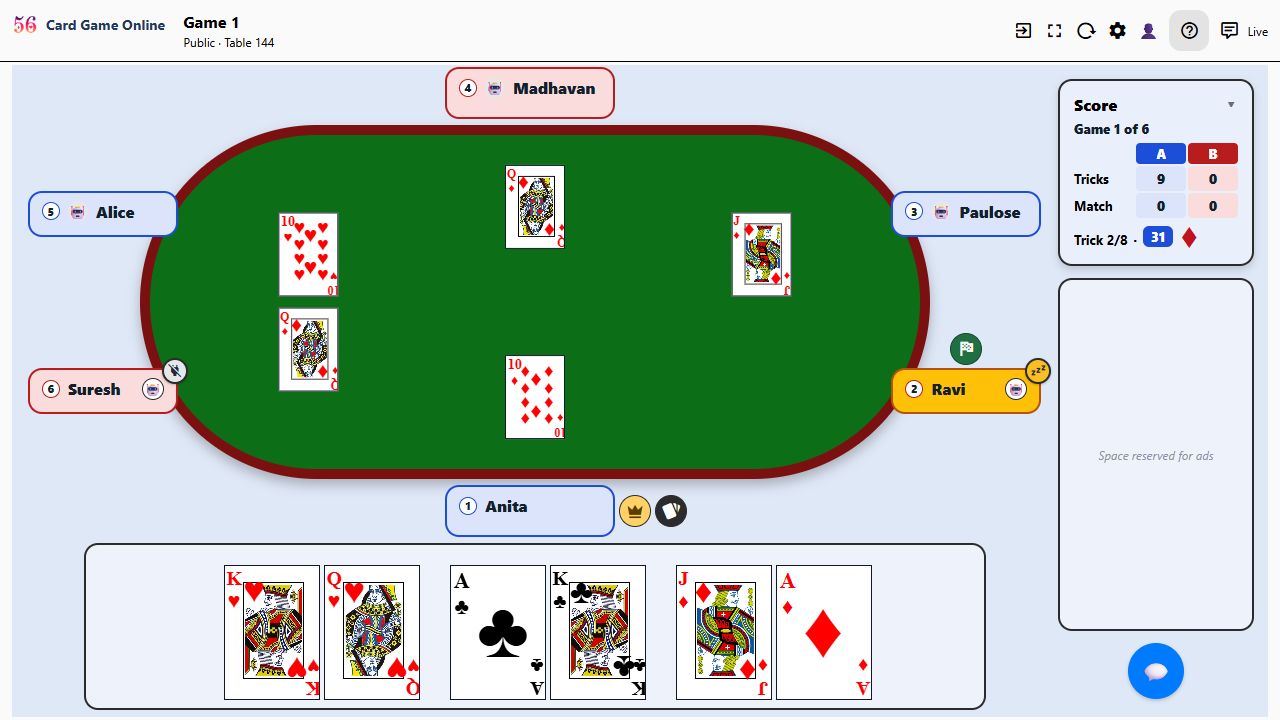
- An amber Zz on a badge's corner: that player is still connected but has not touched their screen for a few minutes. The blinking badge says it is their turn — the table waits for them.
- A grey unplugged plug means that player's connection is gone — the page was closed or the network dropped. Play waits here too.
- As the table's admin (the crown) you can tap the 🤖 on a player's badge to put a BOT in that seat and keep the game going. The player takes the seat back by tapping the BOT.
Playing a card
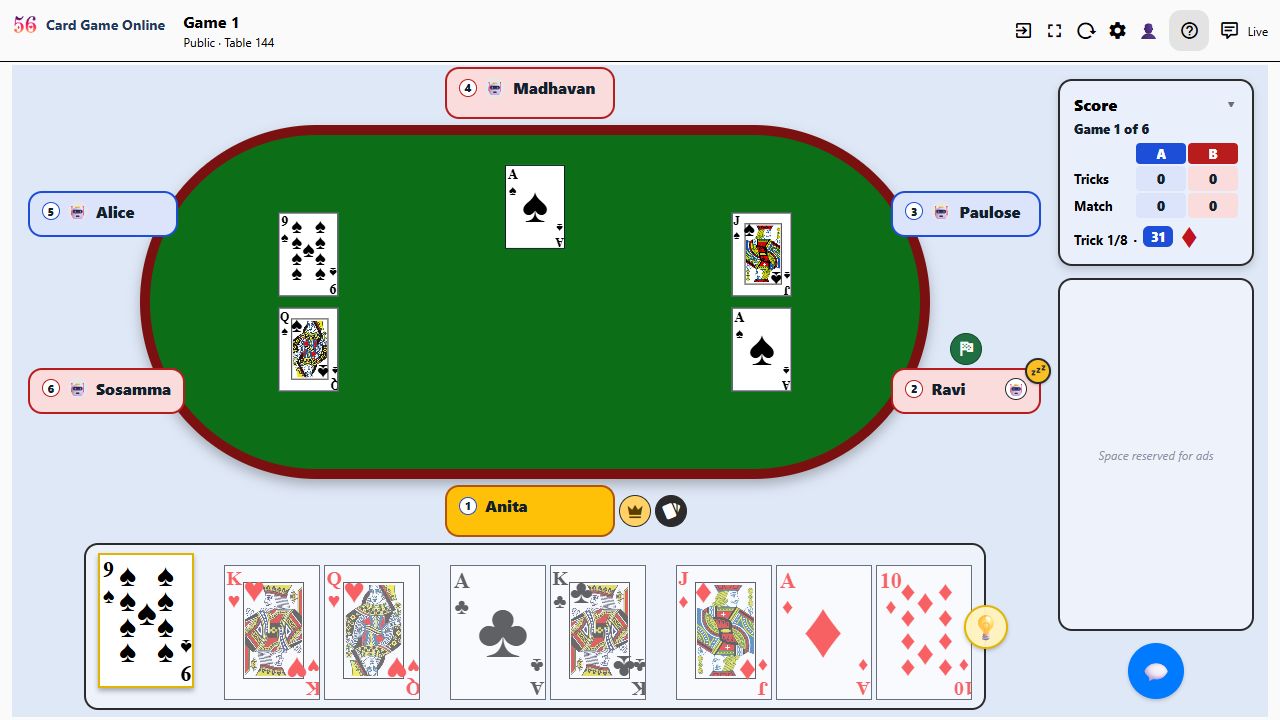 1
2
3
4
5
1
2
3
4
5
- The score box shows which game you are in and how the two teams stand.
- Tricks: the points each team has taken so far in this hand, in the team's colour. Match, below it, is the standing over the whole match.
- Which trick you are on, then the winning bid and its trump suit: 31 ♦ means diamonds are trumps for this game.
- Playing: the cards you may play are outlined and lifted; the others are greyed. Tap one to play it.
- The same 💡 suggests a card. That is all you need to get started — enjoy the game!
Ready to play? Create a free account or sign in. The full rules of the game are on the rules page, and the questions and answers cover the rest.