
How to find players who are free when you are?
Wherever the others live: say when you are free in a group's waiting room, see everyone's plans in your own time, take a chair, and be told when there are enough players. Each picture is a real screen, and the numbered boxes match the notes below it. The other tours are on the How to page.
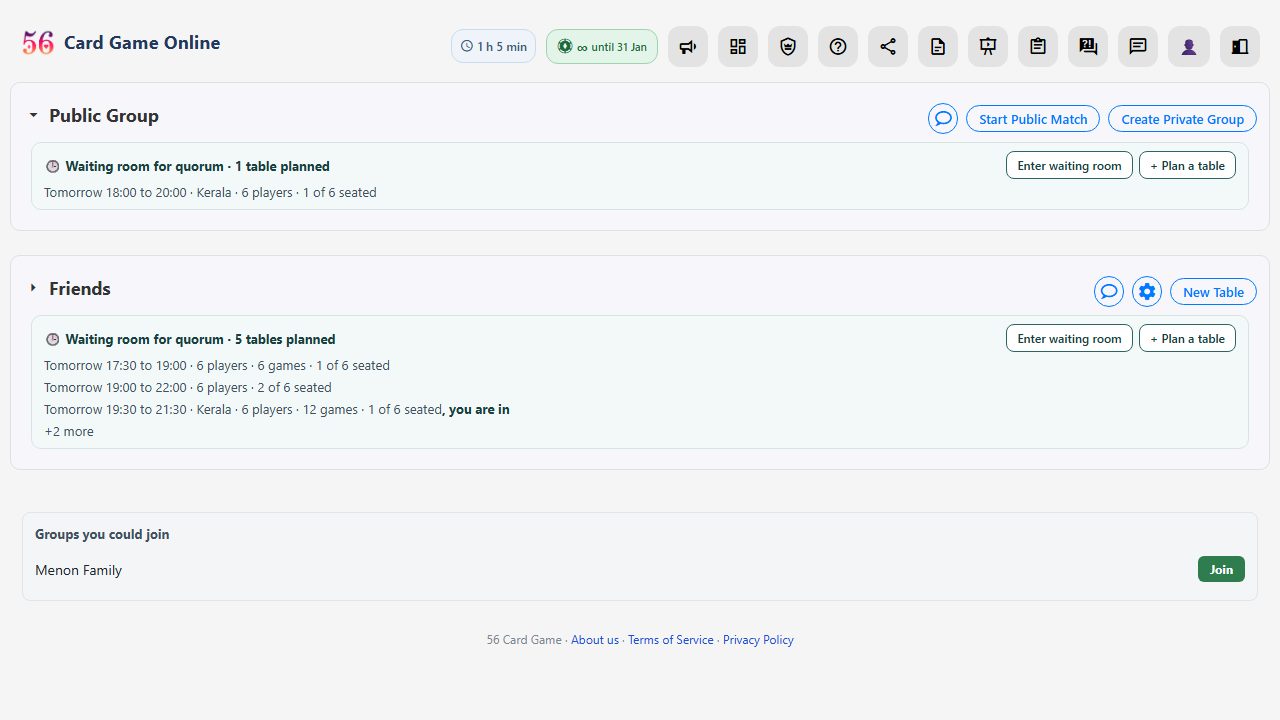 1
2
- You don't have to live in the same country to play together. You only have to be free at the same time. Every group has a waiting room; this line shows the tables people have planned there, in your own time.
- Plan a table is how you say when you are free. Enter waiting room shows what the others have planned.
 1
2
3
4
5
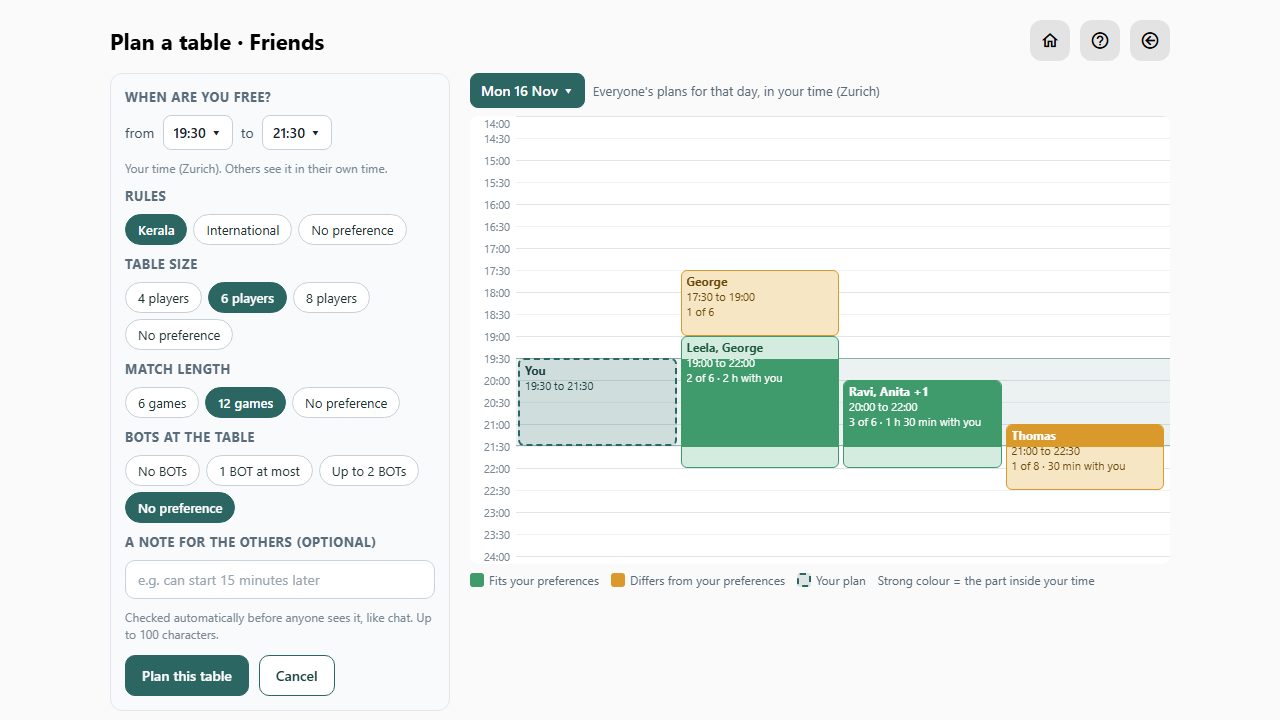
- Pick the day on this button: Today, Tomorrow, the next dates, or Later for more.
- Set from and to, in half-hour steps. This is your own time. Everyone else sees it in theirs, wherever they are.
- Rules, table size, match length and BOTs all start at No preference. Tick only what matters to you. Your ticks are remembered for next time.
- The timeline shows everyone's plans for that day. Green fits what you ticked. Amber differs: here one table is for 6 games and one for 8 players.
- The dashed box and the band across are your time. The part of a plan inside the band is drawn strong, so you see how long you could play together.
 1
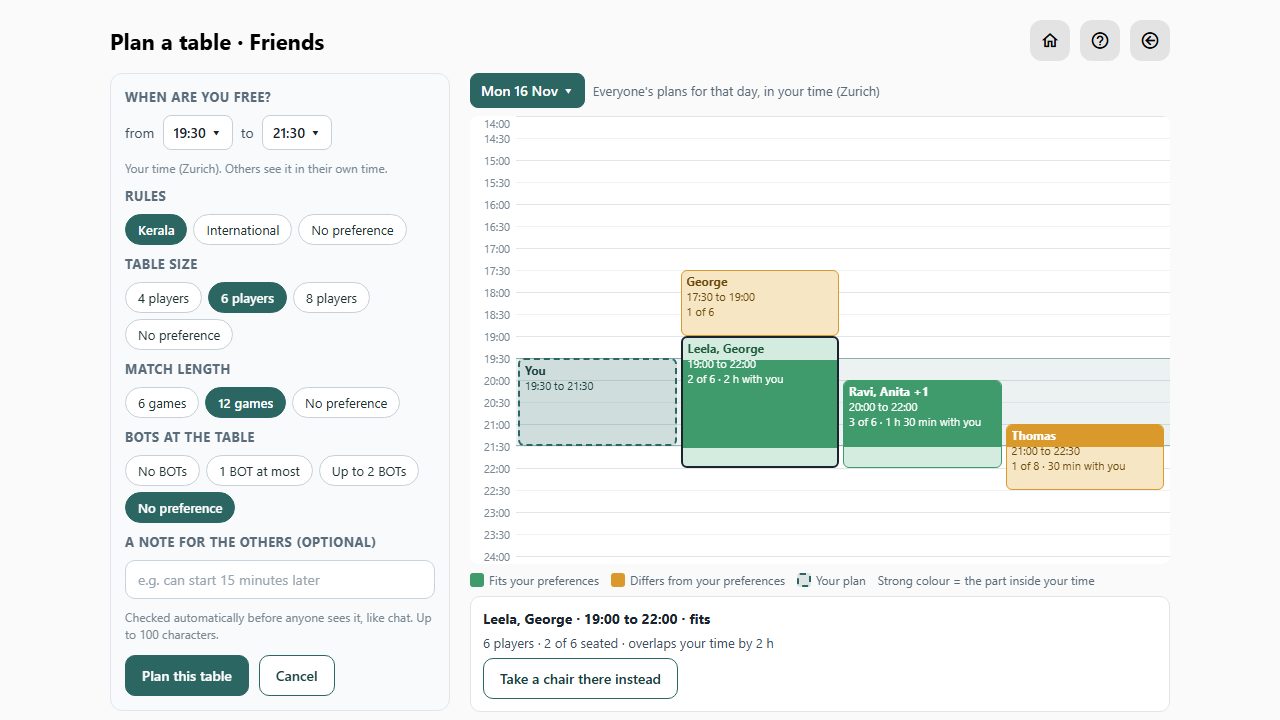
- Tap a plan for its details. If it suits you, Take a chair there instead joins that table, so you need not plan another.
1
- Otherwise press Plan this table. You get its first chair, and the group sees it in the lobby and the waiting room. A note for the others is checked automatically first.
 1
2
3
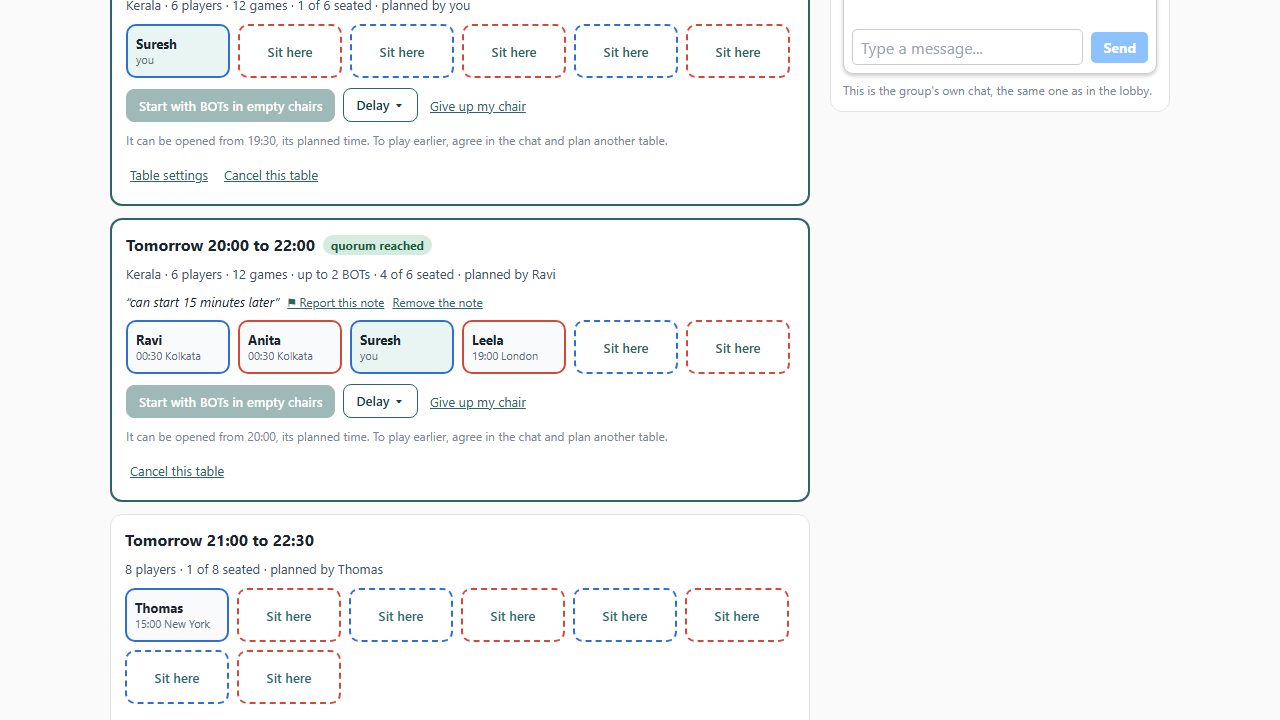
- In the waiting room every planned table has chairs. Tap Sit here to say you are free then. Under each name is that person's own local time.
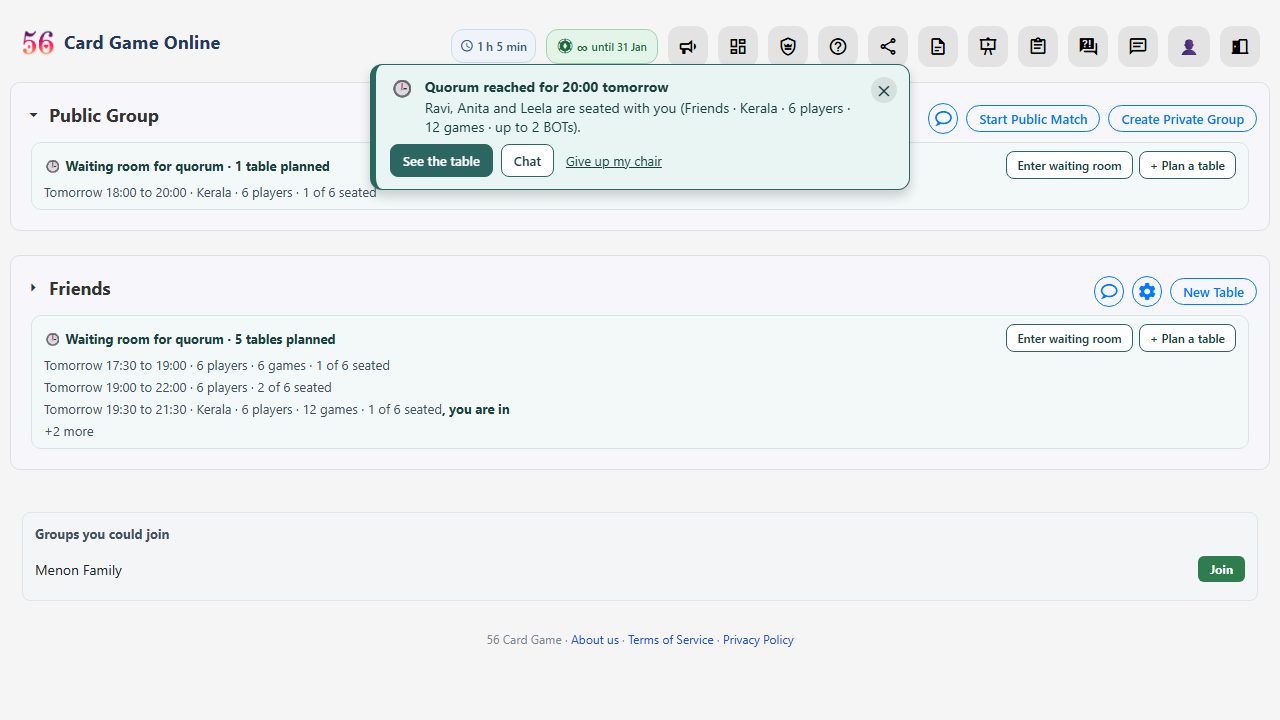
- When enough people sit, the table has quorum. From its planned time, and not before, the people at the table decide: start with BOTs in the empty chairs, or wait for more players. The site never starts a table by itself.
- Running late? Delay keeps your chair for 5, 10, 15 or 20 minutes and shows the others. Give up my chair frees it.
 1
- Everyone seated is told Quorum reached wherever they are on the site, even in the middle of another game. When the table's time comes the notice returns with Join now and Delay.
 1
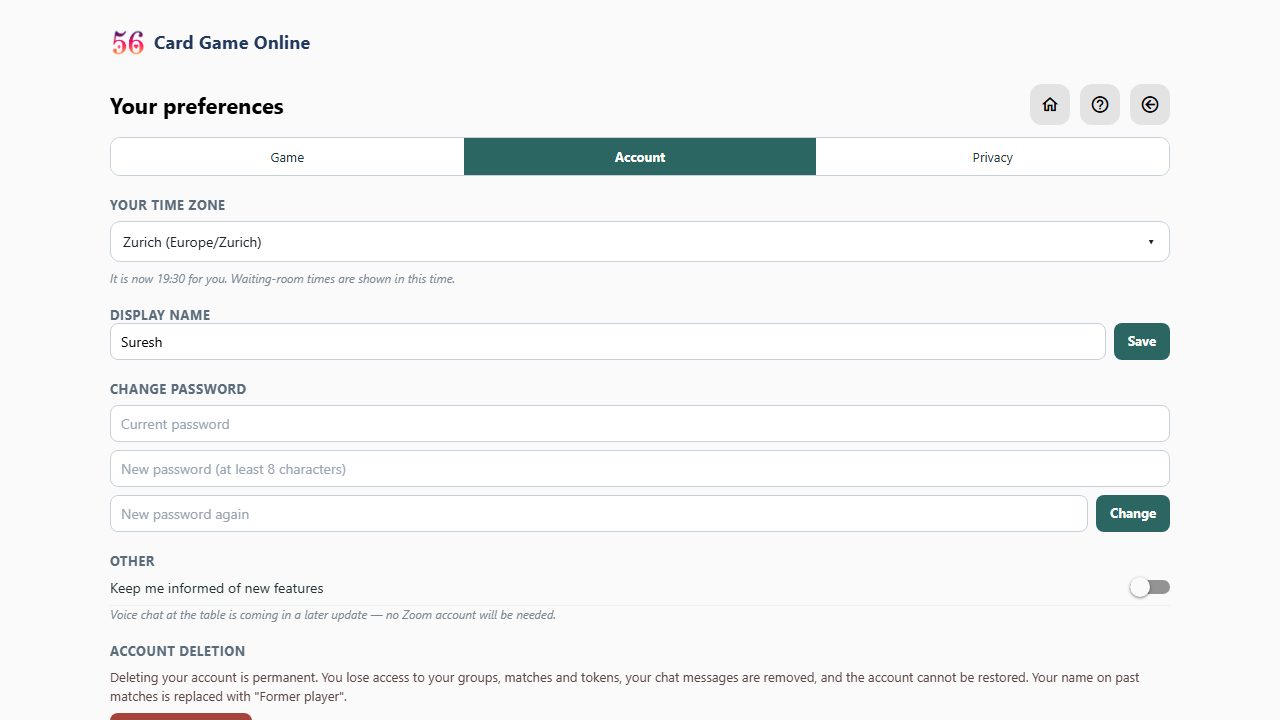
- Your time zone is under Preferences, on the Account tab. It is set from your device; change it when you travel.
Ready to play? Create a free account or sign in. The full rules of the game are on the rules page, and the questions and answers cover the rest.